Brand: STARLINK
STARLINK
Showing 881–960 of 1223 results
-
 Add to cart
What Is Starlink Roam**
Starlink Roam is a service plan from Starlink that enables on land travel with a Starlink dish. There are two options for Starlink Roam: Regional Roam, and Global Roam. Starlink Roam is Starlink’s portable service product line, and it is the new name for Starlink RV. Starlink satellites cover nearly all land on Earth, but the service is still available based on regulatory approval. You can check for up-to-date coverage information on the Starlink availability map.Both Roam services come with a Standard Starlink hardware kit. Regional Roam has an option to upgrade to the Flat High Performance hardware for in-motion use. The Standard equipment is identical to the equipment sold with Residential. Contents of the kit include the Starlink dish, stand, router, and cables. Find out more about what comes with a Starlink kit here.
Starlink Roam Cost
The hardware kit for Global Roam costs $599, and you will pay $500 per month for the service. Global Roam can be paused so that you aren’t billed when it’s not in use. There are no contracts required, and customers can return the kit within 30 days for a full refund if they are not satisfied. Regional Roam (formerly Starlink RV) costs $150/month, with the hardware kit starting at $599.You can also transfer previously used Starlink equipment into a new Global Roam or Regional Roam account. For details on this process, check out our guide on transferring and activating service for a used dish.
How Does Global Roaming Work**
The technology that allows global roaming to work is the inter-satellite links that have been going into service on the newer generations of Starlink satellites. Also known as the ‘space lasers’, these inter-satellite laser links allow for incredibly fast satellite to satellite communication. Global connectivity is achieved by reducing the amount of ground stations required to send data to the internet.Before the space lasers, data was sent to the internet only via Starlink ground stations. Since there aren’t ground stations in every country, some areas of the globe were simply too far away from ground stations to be reliably serviced. The laser links allow data to be sent from satellite to satellite, through the Starlink constellation, and then to the optimal ground station. This enables low latency, high speed internet virtually anywhere on Earth.
Who Is It For**
At $500/month, Global Roam isn’t exactly cheap compared to most internet plans. In my opinion, Global Roaming will be best for international travelers or organizations who require Starlink service on multiple continents. Starlink Regional Roam is still available for $50/month cheaper, and will appeal to people who don’t need to travel between continents.
If connectivity is important to you on land, across the globe, Global Roam is a great value. There aren’t any other providers that offer global coverage with low latency and high speeds. My guess is that a lot of non-profits, businesses, and other organizations who operate in many different locations around the world will be the first to utilize this new service.
Regular domestic travelers, which includes most RV’ers, overlanders, campers, etc., will still find the best value with Regional Roam. With Regional Roam, you still have the ability to travel within an entire continent, you just can’t cross into another one.
Regional Roaming vs Global Roaming
You may be wondering, what’s the difference between Regional and Global Roaming** The first major difference is that Global Roam doesn’t have travel restrictions like the Regional plan. Starlink Regional Roam is limited to use within the same continent as the customers shipping address. Global Roam doesn’t have that restriction, so it can be used globally on virtually any continent.The other difference is cost. Starlink Regional Roam costs $150/month, while Global Roam costs $500/month. The equipment cost for both services is the same at $599.
Finally, the last important distinction between Regional and Global Roam is that the in-motion, Flat High Performance hardware is not available for Global Roaming. The in-motion Starlink hardware can only be purchased on the Regional Roam plan.
What Speeds Do I Get With Starlink Roam**
Both Starlink Roam plans (Regional and Global) are deprioritized on the Starlink network. That means in times of network congestion, performance may suffer compared to Residential and Business Starlink customers in the area. That said, Starlink says Roam customers will get between 5-50 mbps download speeds, and 2-10 mbps upload speeds.It’s also important to note that the Starlink satellite constellation isn’t yet finished. Starlink says that Global Roam customers should expect higher latency and regular service interruptions. Global roaming, as of right now, is a best effort kind of service. As more laser links come online, reliability and performance will improve. Regional Roam customers, who are typically in areas with existing Starlink ground stations, will have less of an issue with interruptions and reliability.
Does Roam Have Unlimited Data**
Starlink Roam plans come with unlimited data, there are no caps or limits. Roam traffic is deprioritized on the Starlink network, so your speeds may be reduced or throttled in times on network congestion.How Do I Order**
You will find the Roam service on the Starlink.com website, under the Roam menu. From there, enter your shipping address. Then, pick whether you want the standard Portable or the Mobile hardware (Mobile is not available with Global Roam). Finally, select Regional or Global Roam.Finish filling out your information, and place the order. Billing starts 14 days after your order ships. You have up to 30 days from delivery to return your Starlink kit for a full refund.
How To Switch Between Global And Regional Roam
Starlink makes it pretty easy to switch between the Global and Regional Roam plans. Let’s say you typically only travel with Starlink in the US, but you have an upcoming trip to South America. You can switch to Global Roam to be able to use your dish outside of North America, and then switch back to the cheaper Regional plan when you return.To switch between Global and Regional, log in to your Starlink.com account portal. Click Manage next to your Roam plan. Then click Change Service Plan. Choose between Regional, Global, and even the entry-level Maritime plan if you need to use Starlink at sea.
Restrictions With Starlink Roam
The two month restriction remains in place for both Starlink Roam plans. Starlink says that users who stay in one country for more than 2 months will need to update their registered address:3.3 Limitation and Requirements for Starlink Roaming Users. Starlink Roaming Services is a consumer product only and is not available for purchase or use by commercial, enterprise, or governmental users. If you use Starlink Roaming Services for more than two months in a country that is different than your shipping address, Starlink may require you to move your registered address to your new location. Starlink does not guarantee when or where Starlink Roaming Services will be available. Starlink Roaming Services are dependent on many factors, including obtaining or maintaining the necessary regulatory approvals which are subject to change. Find a list of authorized territories (marked “Available or Waitlist”) on Starlink map: www.starlink.com/map.
Starlink Roaming Terms of Service
According to Starlink, the ‘registered address’ mentioned above is only for tax and billing purposes. So if you originally ordered Roam in Mexico, but stay in Canada for more than 2 months, the address on your Starlink account could update to Canada for tax and billing purposes. If the new country has a higher subscription cost, you may see your monthly bill increase.
Final Thoughts
The branding from Starlink RV to Starlink Roam came as a surprise to me and most Starlink fans. But after digging through the details and writing this article, I already feel confident that it was a smart move. After all, customers are using the portable Starlink service for way more than just RV’s. I feel that the new Roam name reflects the possibilities of the service even better than before.The global roaming feature available with Starlink Roam is going to be a hit for many international travelers and organizations. Now you won’t have to worry about where you buy the equipment. You just buy it once and go, without worrying about straying outside of the original continent you purchased it in.
Do you find the features of Global Roam appealing for your situation** Is $500/month a reasonable price for this feature for the ability to travel globally** I would love to know your thoughts in the comments!
Order Starlink – Easy Self-Install
Upgrade Your Internet & Connect with Starlink. High-Speed Connectivity Anytime, Anywhere.DM•Text•Call 24/7 Support
adishnetservices@gmail.com
+254100720022 / +254720548999
www.adishnetservices.com.com
TikTok; @starlink.kenya -
Add to cart
What Is Starlink Roam**
Starlink Roam is a service plan from Starlink that enables on land travel with a Starlink dish. There are two options for Starlink Roam: Regional Roam, and Global Roam. Starlink Roam is Starlink’s portable service product line, and it is the new name for Starlink RV. Starlink satellites cover nearly all land on Earth, but the service is still available based on regulatory approval. You can check for up-to-date coverage information on the Starlink availability map.Both Roam services come with a Standard Starlink hardware kit. Regional Roam has an option to upgrade to the Flat High Performance hardware for in-motion use. The Standard equipment is identical to the equipment sold with Residential. Contents of the kit include the Starlink dish, stand, router, and cables. Find out more about what comes with a Starlink kit here.
Starlink Roam Cost
The hardware kit for Global Roam costs $599, and you will pay $500 per month for the service. Global Roam can be paused so that you aren’t billed when it’s not in use. There are no contracts required, and customers can return the kit within 30 days for a full refund if they are not satisfied. Regional Roam (formerly Starlink RV) costs $150/month, with the hardware kit starting at $599.You can also transfer previously used Starlink equipment into a new Global Roam or Regional Roam account. For details on this process, check out our guide on transferring and activating service for a used dish.
How Does Global Roaming Work**
The technology that allows global roaming to work is the inter-satellite links that have been going into service on the newer generations of Starlink satellites. Also known as the ‘space lasers’, these inter-satellite laser links allow for incredibly fast satellite to satellite communication. Global connectivity is achieved by reducing the amount of ground stations required to send data to the internet.Before the space lasers, data was sent to the internet only via Starlink ground stations. Since there aren’t ground stations in every country, some areas of the globe were simply too far away from ground stations to be reliably serviced. The laser links allow data to be sent from satellite to satellite, through the Starlink constellation, and then to the optimal ground station. This enables low latency, high speed internet virtually anywhere on Earth.
Who Is It For**
At $500/month, Global Roam isn’t exactly cheap compared to most internet plans. In my opinion, Global Roaming will be best for international travelers or organizations who require Starlink service on multiple continents. Starlink Regional Roam is still available for $50/month cheaper, and will appeal to people who don’t need to travel between continents.
If connectivity is important to you on land, across the globe, Global Roam is a great value. There aren’t any other providers that offer global coverage with low latency and high speeds. My guess is that a lot of non-profits, businesses, and other organizations who operate in many different locations around the world will be the first to utilize this new service.
Regular domestic travelers, which includes most RV’ers, overlanders, campers, etc., will still find the best value with Regional Roam. With Regional Roam, you still have the ability to travel within an entire continent, you just can’t cross into another one.
Regional Roaming vs Global Roaming
You may be wondering, what’s the difference between Regional and Global Roaming** The first major difference is that Global Roam doesn’t have travel restrictions like the Regional plan. Starlink Regional Roam is limited to use within the same continent as the customers shipping address. Global Roam doesn’t have that restriction, so it can be used globally on virtually any continent.The other difference is cost. Starlink Regional Roam costs $150/month, while Global Roam costs $500/month. The equipment cost for both services is the same at $599.
Finally, the last important distinction between Regional and Global Roam is that the in-motion, Flat High Performance hardware is not available for Global Roaming. The in-motion Starlink hardware can only be purchased on the Regional Roam plan.
What Speeds Do I Get With Starlink Roam**
Both Starlink Roam plans (Regional and Global) are deprioritized on the Starlink network. That means in times of network congestion, performance may suffer compared to Residential and Business Starlink customers in the area. That said, Starlink says Roam customers will get between 5-50 mbps download speeds, and 2-10 mbps upload speeds.It’s also important to note that the Starlink satellite constellation isn’t yet finished. Starlink says that Global Roam customers should expect higher latency and regular service interruptions. Global roaming, as of right now, is a best effort kind of service. As more laser links come online, reliability and performance will improve. Regional Roam customers, who are typically in areas with existing Starlink ground stations, will have less of an issue with interruptions and reliability.
Does Roam Have Unlimited Data**
Starlink Roam plans come with unlimited data, there are no caps or limits. Roam traffic is deprioritized on the Starlink network, so your speeds may be reduced or throttled in times on network congestion.How Do I Order**
You will find the Roam service on the Starlink.com website, under the Roam menu. From there, enter your shipping address. Then, pick whether you want the standard Portable or the Mobile hardware (Mobile is not available with Global Roam). Finally, select Regional or Global Roam.Finish filling out your information, and place the order. Billing starts 14 days after your order ships. You have up to 30 days from delivery to return your Starlink kit for a full refund.
How To Switch Between Global And Regional Roam
Starlink makes it pretty easy to switch between the Global and Regional Roam plans. Let’s say you typically only travel with Starlink in the US, but you have an upcoming trip to South America. You can switch to Global Roam to be able to use your dish outside of North America, and then switch back to the cheaper Regional plan when you return.To switch between Global and Regional, log in to your Starlink.com account portal. Click Manage next to your Roam plan. Then click Change Service Plan. Choose between Regional, Global, and even the entry-level Maritime plan if you need to use Starlink at sea.
Restrictions With Starlink Roam
The two month restriction remains in place for both Starlink Roam plans. Starlink says that users who stay in one country for more than 2 months will need to update their registered address:3.3 Limitation and Requirements for Starlink Roaming Users. Starlink Roaming Services is a consumer product only and is not available for purchase or use by commercial, enterprise, or governmental users. If you use Starlink Roaming Services for more than two months in a country that is different than your shipping address, Starlink may require you to move your registered address to your new location. Starlink does not guarantee when or where Starlink Roaming Services will be available. Starlink Roaming Services are dependent on many factors, including obtaining or maintaining the necessary regulatory approvals which are subject to change. Find a list of authorized territories (marked “Available or Waitlist”) on Starlink map: www.starlink.com/map.
Starlink Roaming Terms of Service
According to Starlink, the ‘registered address’ mentioned above is only for tax and billing purposes. So if you originally ordered Roam in Mexico, but stay in Canada for more than 2 months, the address on your Starlink account could update to Canada for tax and billing purposes. If the new country has a higher subscription cost, you may see your monthly bill increase.
Final Thoughts
The branding from Starlink RV to Starlink Roam came as a surprise to me and most Starlink fans. But after digging through the details and writing this article, I already feel confident that it was a smart move. After all, customers are using the portable Starlink service for way more than just RV’s. I feel that the new Roam name reflects the possibilities of the service even better than before.The global roaming feature available with Starlink Roam is going to be a hit for many international travelers and organizations. Now you won’t have to worry about where you buy the equipment. You just buy it once and go, without worrying about straying outside of the original continent you purchased it in.
Do you find the features of Global Roam appealing for your situation** Is $500/month a reasonable price for this feature for the ability to travel globally** I would love to know your thoughts in the comments!
Order Starlink – Easy Self-Install
Upgrade Your Internet & Connect with Starlink. High-Speed Connectivity Anytime, Anywhere.DM•Text•Call 24/7 Support
adishnetservices@gmail.com
+254100720022 / +254720548999
www.adishnetservices.com.com
TikTok; @starlink.kenya -

Starlink Internet Services in Kenya
KSh55,000.00Add to cartStarlink internet is becoming increasingly available for schools in Kenya, offering a solution for reliable high-speed internet access in remote areas where traditional internet providers might not reach, allowing students to access online learning resources and participate in digital activities more readily; however, the cost of the Starlink kit can still be a barrier for some schools, although recent options like rental plans are making it more accessible.Key points about Starlink for Kenyan schools:-
Accessibility:Starlink’s satellite technology can reach even remote areas in Kenya where other internet options are limited, providing connectivity to schools in rural locations.
-
Improved learning:With reliable internet access, students can engage in online learning platforms, research information, access educational videos, and participate in virtual classrooms.
-
Rental options:Starlink is now offering rental plans in Kenya, making it more affordable for schools to access the service without needing to purchase the full kit upfront.
-
Potential challenges:
- Cost: While rental options are available, the initial cost of a Starlink kit can still be a barrier for some schools.
- Data usage: Schools need to manage data usage to ensure the service remains affordable.
- Cost: While rental options are available, the initial cost of a Starlink kit can still be a barrier for some schools.
-
-
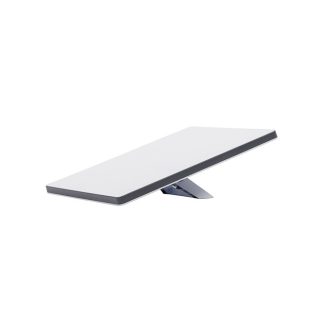
STARLINK Mini Kit Kenya
KSh35,000.00Add to cartStarlink Mini Kit: High-Speed, Portable Internet on the Go
Experience unmatched connectivity with the Starlink Mini Kit. This compact, portable device fits easily in your backpack and delivers high-speed, low-latency internet wherever you go. Ideal for travelers, remote workers, and digital nomads, the Starlink Mini offers reliable internet speeds over 100 Mbps. Powered by a network of low Earth orbit satellites, it ensures seamless connectivity even in the most remote locations, such as the middle of the ocean or a secluded bay.
Key Features
- Compact and Portable Design: The Starlink Mini Kit is engineered for mobility, easily fitting into any backpack. Its all-in-one design includes a built-in WiFi router, ensuring you stay connected wherever your adventures take you.
- Effortless Setup: Get online in minutes with a simple two-step setup. Just plug in the device and point it at the sky. The kit comes complete with an integrated router, kickstand, pipe adapter, power cable, and power supply.
- Integrated WiFi Router: Enjoy seamless connectivity with Wi-Fi 5 technology and an Ethernet port for connecting to third-party routers and mesh networks.
- Energy Efficient: With a power consumption range of 25-40 watts, the Starlink Mini Kit is designed to be energy-efficient while delivering top-tier performance.
- Clear Sky View Required: For optimal performance, the Starlink Mini Kit requires a clear view of the sky to establish a connection with satellites.
- Service Plan Required: Activate Starlink by selecting a customized service plan tailored to your specific needs. Select from plans suited for households or travel. No Contracts.
- Phased-array antenna automatically adjusts to maintain a strong connection, keeping you seamlessly online whether you’re sailing through choppy waters or cruising at high speeds.
What’s in the Box:
- Starlink Mini with Integrated WiFi
- Kickstand
- Pipe Adapter
- DC Power Cable
- Power Supply
- Starlink Plug
Experience the freedom of high-speed internet with the Starlink Mini Kit—your ideal companion for connectivity on the go. Perfect for remote areas and travel, this portable internet solution ensures you stay connected wherever you are.
-
Starlink Mini Kit, compact, high-performance satellite internet Satellite Dish WiFi full Kit
Original price was: KSh55,000.00.KSh35,000.00Current price is: KSh35,000.00.Add to cartDISCLAIMER!!!
To see if your area is currently available for new subscription, check Starlink website’s service availability map (Starlink.com/map).
Account Activation: Click HERE to set up a new account. If you already have an account, please select Existing Account .Customer Support Note: For any issues with activating the kit, please use THIS LINK to submit a support ticket.
For ETR requests: Please call us at 0720548999 before you place the order. Make sure to have your Name and KRA Pin ready when you contact us. Happy shopping.
Starlink Mini Kit
Your perfect solution for high-speed internet connectivity.
The Starlink Mini Kit is a compact, high-performance satellite internet solution designed for users seeking reliable, fast, and portable connectivity. Engineered for ease of use and efficiency, the Mini Kit provides seamless internet access, even in remote or underserved areas
- The Starlink Mini is a newer, smaller satellite dish introduced by SpaceX for improved portability and ease of use.
- Dish Size: 11.5 inches x 11.5 inches
- Weight: 2.3 kg (approx. 5 lbs)
- Power Consumption: 25 to 50 Watts
- Throughput: Speeds of up to 220 Mbps
- Latency: As low as 25 ms
- Portability: Smaller and lighter than the standard Starlink dish, designed for easier transport and installation.
- Compatibility: Can be used with the Starlink RV service, which allows internet access while on the move (in supported regions).
- Weather Resistance: Built to withstand extreme weather conditions, similar to the standard Starlink dish.
- Connection Type: Wi-Fi connectivity, with an included router.
- Easy Setup: Plug-and-play system with a simple installation process.
- Portable Design: Ideal for RVs, campers, and those who frequently travel or relocate.
- High-Speed Internet: Provides reliable satellite internet access in remote and underserved areas.
- The Starlink Mini is a great solution for users looking for flexibility and mobility without sacrificing internet speed and reliability
Starlink Mini Kit Standard is built to withstand various environmental conditions:
- Robust Construction: Weighing 1.10 kg (2.43 lb) without accessories, the antenna is sturdy yet manageable for most users.
- Environmental Rating: With an IP67 Type 4 rating, the system is protected against dust and water ingress when properly installed.
- Wide Operating Temperature Range: Functional from -30°C to 50°C (-22°F to 122°F), making it suitable for diverse climates.
- Wind Resistance: Operational in wind speeds of 96 kph+ (60 mph+), ensuring stability in challenging weather conditions.
Powerful Performance
The Starlink Gen 2 Standard offers impressive capabilities:
- Snow Melt Capability: Can melt up to 25mm of snow per hour, maintaining connectivity in snowy environments.
- Efficient Power Consumption: Average power usage of 25-40W, balancing performance with energy efficiency.
- Flexible Power Input: Compatible with 12-48V 60W input, with a 100W USB PD option for enhanced functionality.
Integrated Wi-Fi Router
The included Wi-Fi router complements the antenna system:
- Advanced Wi-Fi Technology: Utilizes 802.11a/b/g/n/ac standards (WiFi 5) with a dual-band 3×3 MU-MIMO radio for optimal wireless performance.
- Extensive Coverage: Provides Wi-Fi coverage for up to 112 m² (1,200 ft²), suitable for most homes and small offices.
- High Device Capacity: Supports connection of up to 128 devices simultaneouslys:
Key features:
Antenna Specifications
- Type: Electronic Phased Array
- Field of View: 110°
- Orientation: Software Assisted Manual Orienting
- Weight:
- 1.10 kg (2.43 lb) base weight
- 1.16 kg (2.56 lb) with Kickstand
- 1.53 kg (3.37 lb) with Kickstand & 15 m Cable
- Environmental Rating: IP67 Type 4 (with DC Power Cable and Starlink Plug/Cable installed)
- Operating Temperature: -30°C to 50°C (-22°F to 122°F)
- Wind Speed Resistance: Operational at 96 kph+ (60 mph+)
- Snow Melt Capability: Up to 25mm / hour (1 in / hour)
Power Specifications
- Power Consumption: Average 25-40W
- Input Rating: 12-48V 60W
- USB PD Requirement: 100W, 20V/5A Minimum (with Starlink USB-C to Barrel Jack Cable Accessory)
Wi-Fi Router Specifications
- Wi-Fi Technology: 802.11a/b/g/n/ac (WiFi 5)
- Radio: Dual Band 3 x 3 MU-MIMO
- Ethernet Ports: One (1) Latching Ethernet LAN port with Starlink Plug
- Coverage: Up to 112 m² (1,200 ft²)
- Security: WPA2
- Power Indicator: LED on rear face plate, lower left corner
- Mesh Compatibility: Compatible with all Starlink mesh systems (Not compatible with 3rd party mesh systems)
- Device Capacity: Connect up to 128 devices
Router Physical Specifications
- Dimensions: 91 x 44 x 51 mm (3.6 in x 1.7 in x 2.0 in)
- Weight: 0.2 kg (0.44 lbs)
- Environmental Rating: IP66 Type 4
- Operating Temperature: -30°C to 50°C (-22 to 122°F)
- Power Input: 100-240V ~ 1.6A 50 – 60 Hz
-
 Add to cart
Starlink Mini is a compact, portable kit, designed to provide high-speed, low-latency internet on the go or in your home.Stay connected anywhere, anytime with the Starlink mini kit.
Engineered by SpaceX, this all-in-one kit features Wi-Fi 5 and an Ethernet port for connecting third-party routers and mesh. Speeds of over 100Mbps offer seamless streaming and quick downloads. The compact kit includes an integrated router, kickstand, pipe adapter, power cable, and power supply for quick and easy setup.
-
Add to cart
Starlink Mini is a compact, portable kit, designed to provide high-speed, low-latency internet on the go or in your home.Stay connected anywhere, anytime with the Starlink mini kit.
Engineered by SpaceX, this all-in-one kit features Wi-Fi 5 and an Ethernet port for connecting third-party routers and mesh. Speeds of over 100Mbps offer seamless streaming and quick downloads. The compact kit includes an integrated router, kickstand, pipe adapter, power cable, and power supply for quick and easy setup.
-
 Add to cart
Starlink Mini is a compact, portable kit, designed to provide high-speed, low-latency internet on the go or in your home.Stay connected anywhere, anytime with the Starlink mini kit.
Engineered by SpaceX, this all-in-one kit features Wi-Fi 5 and an Ethernet port for connecting third-party routers and mesh. Speeds of over 100Mbps offer seamless streaming and quick downloads. The compact kit includes an integrated router, kickstand, pipe adapter, power cable, and power supply for quick and easy setup.
-
Add to cart
Starlink Mini is a compact, portable kit, designed to provide high-speed, low-latency internet on the go or in your home.Stay connected anywhere, anytime with the Starlink mini kit.
Engineered by SpaceX, this all-in-one kit features Wi-Fi 5 and an Ethernet port for connecting third-party routers and mesh. Speeds of over 100Mbps offer seamless streaming and quick downloads. The compact kit includes an integrated router, kickstand, pipe adapter, power cable, and power supply for quick and easy setup.
-

Starlink Performance (Gen 3) Kit In Kampala Uganda
KSh500,000.00Add to cartThe Starlink Performance (Gen 3) kit is designed to deliver connectivity with download speeds of up to 400 Mbps, which is higher than previous versions. This Performance kit features a separate Advanced Power Supply and a durable, powder-coated aluminum enclosure, ensuring resilience in remote areas and harsh environments on land and at sea, including extreme weather conditions, high-vibration settings, and during in-motion usage.
Starlink Performance Kit
- Capable of download speeds up to 400+ Mbps for fast, reliable connectivity whenever you need it.
- Capable of enduring winds up to 270+ kph (170+ mph) and temperatures from -40°C to 60°C (-40°F to 140°F).
- Enhanced snow melting capacity, featuring an IP68 (unplugged) – IP69K (plugged) waterproof rating.
- Suitable for 1 meter of water submersion for up to 30 minutes and pressure washing.
Starlink Performance Gen 3 Includes:
- Starlink Performance Dish
- Advanced Power Supply
- Starlink Performance Cable 25m (82ft)
- Starlink Ethernet Cable 5m (16.4ft)
- Starlink AC Power Cable 1.5m (4.9ft)
- Starlink DC Power Cable 1.5m (4.9ft)
- Package Dimensions: 686 x 454 x 121 mm (27.0 x 17.9 x 4.8 in)
- Package Weight: 11.8 kg (26 lbs)
- Does not include any taxes, VAT, import duties, or other fees. These are to be paid by the customer separately, where applicable
-
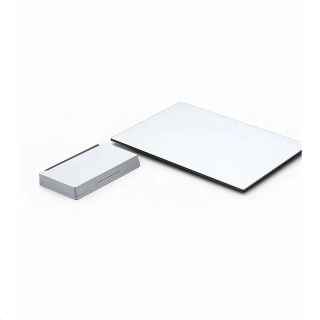
Starlink Performance (Gen 3) Kit In Afghanistan
KSh500,000.00Add to cartThe Starlink Performance (Gen 3) kit is designed to deliver connectivity with download speeds of up to 400 Mbps, which is higher than previous versions. This Performance kit features a separate Advanced Power Supply and a durable, powder-coated aluminum enclosure, ensuring resilience in remote areas and harsh environments on land and at sea, including extreme weather conditions, high-vibration settings, and during in-motion usage.
Starlink Performance Kit
Designed for resilient connectivity in remote areas and harsh environments, extreme weather, high-vibration settings, and in-motion usage.
- The Starlink Performance Kit is currently capable of download speeds up to 400+ Mbps for fast, reliable connectivity whenever you need it. Starlink is focused on making network enhancements which will enable gigabit speeds starting in the most remote places on Earth with the Performance Kit. Service plan upgrades will be available in 2026. No hardware changes needed.
- Capable of enduring winds up to 270+ kph (170+ mph) and temperatures from -40°C to 60°C (-40°F to 140°F).
- Enhanced snow melting capacity, featuring an IP68 (unplugged) – IP69K (plugged) waterproof rating. Suitable for 1 meter of water submersion for up to 30 minutes and pressure washing.
- The Advanced Power Supply included with the Starlink Performance Kit is rack-mountable, operates on both AC and DC power, and supports DC input with a backup battery for uninterrupted operation. It features smart diagnostics, a high-power PoE output, and a LAN port, offering real-time monitoring, seamless connectivity, and reliable performance for demanding network and industrial applications.
- Designed for 10-year mission life. See Durability Guide for more details.
- Capable of download speeds up to 400+ Mbps for fast, reliable connectivity whenever you need it.
- Capable of enduring winds up to 270+ kph (170+ mph) and temperatures from -40°C to 60°C (-40°F to 140°F).
- Enhanced snow melting capacity, featuring an IP68 (unplugged) – IP69K (plugged) waterproof rating.
- Suitable for 1 meter of water submersion for up to 30 minutes and pressure washing.
Starlink Performance Gen 3 Includes:
- Starlink Performance Dish
- Advanced Power Supply
- Starlink Performance Cable 25m (82ft)
- Starlink Ethernet Cable 5m (16.4ft)
- Starlink AC Power Cable 1.5m (4.9ft)
- Starlink DC Power Cable 1.5m (4.9ft)
- Package Dimensions: 686 x 454 x 121 mm (27.0 x 17.9 x 4.8 in)
- Package Weight: 11.8 kg (26 lbs)
- Does not include any taxes, VAT, import duties, or other fees. These are to be paid by the customer separately, where applicable
Resources
- Product Specifications
- Setup Guides
- Starlink App (iOS)
- Starlink App (Android)
- Support
- Product 3D Models
- Mounts and Accessories
Adishnetservices-Starlink_Performance-Gen3-specification_sheet
-
Starlink Performance (Gen 3) Kit In Albania
KSh500,000.00Add to cartThe Starlink Performance (Gen 3) kit is designed to deliver connectivity with download speeds of up to 400 Mbps, which is higher than previous versions. This Performance kit features a separate Advanced Power Supply and a durable, powder-coated aluminum enclosure, ensuring resilience in remote areas and harsh environments on land and at sea, including extreme weather conditions, high-vibration settings, and during in-motion usage.
Starlink Performance Kit
Designed for resilient connectivity in remote areas and harsh environments, extreme weather, high-vibration settings, and in-motion usage.
- The Starlink Performance Kit is currently capable of download speeds up to 400+ Mbps for fast, reliable connectivity whenever you need it. Starlink is focused on making network enhancements which will enable gigabit speeds starting in the most remote places on Earth with the Performance Kit. Service plan upgrades will be available in 2026. No hardware changes needed.
- Capable of enduring winds up to 270+ kph (170+ mph) and temperatures from -40°C to 60°C (-40°F to 140°F).
- Enhanced snow melting capacity, featuring an IP68 (unplugged) – IP69K (plugged) waterproof rating. Suitable for 1 meter of water submersion for up to 30 minutes and pressure washing.
- The Advanced Power Supply included with the Starlink Performance Kit is rack-mountable, operates on both AC and DC power, and supports DC input with a backup battery for uninterrupted operation. It features smart diagnostics, a high-power PoE output, and a LAN port, offering real-time monitoring, seamless connectivity, and reliable performance for demanding network and industrial applications.
- Designed for 10-year mission life. See Durability Guide for more details.
- Capable of download speeds up to 400+ Mbps for fast, reliable connectivity whenever you need it.
- Capable of enduring winds up to 270+ kph (170+ mph) and temperatures from -40°C to 60°C (-40°F to 140°F).
- Enhanced snow melting capacity, featuring an IP68 (unplugged) – IP69K (plugged) waterproof rating.
- Suitable for 1 meter of water submersion for up to 30 minutes and pressure washing.
Starlink Performance Gen 3 Includes:
- Starlink Performance Dish
- Advanced Power Supply
- Starlink Performance Cable 25m (82ft)
- Starlink Ethernet Cable 5m (16.4ft)
- Starlink AC Power Cable 1.5m (4.9ft)
- Starlink DC Power Cable 1.5m (4.9ft)
- Package Dimensions: 686 x 454 x 121 mm (27.0 x 17.9 x 4.8 in)
- Package Weight: 11.8 kg (26 lbs)
- Does not include any taxes, VAT, import duties, or other fees. These are to be paid by the customer separately, where applicable
Resources
- Product Specifications
- Setup Guides
- Starlink App (iOS)
- Starlink App (Android)
- Support
- Product 3D Models
- Mounts and Accessories
Adishnetservices-Starlink_Performance-Gen3-specification_sheet
-
Starlink Performance (Gen 3) Kit In Algeria
KSh500,000.00Add to cartThe Starlink Performance (Gen 3) kit is designed to deliver connectivity with download speeds of up to 400 Mbps, which is higher than previous versions. This Performance kit features a separate Advanced Power Supply and a durable, powder-coated aluminum enclosure, ensuring resilience in remote areas and harsh environments on land and at sea, including extreme weather conditions, high-vibration settings, and during in-motion usage.
Starlink Performance Kit
Designed for resilient connectivity in remote areas and harsh environments, extreme weather, high-vibration settings, and in-motion usage.
- The Starlink Performance Kit is currently capable of download speeds up to 400+ Mbps for fast, reliable connectivity whenever you need it. Starlink is focused on making network enhancements which will enable gigabit speeds starting in the most remote places on Earth with the Performance Kit. Service plan upgrades will be available in 2026. No hardware changes needed.
- Capable of enduring winds up to 270+ kph (170+ mph) and temperatures from -40°C to 60°C (-40°F to 140°F).
- Enhanced snow melting capacity, featuring an IP68 (unplugged) – IP69K (plugged) waterproof rating. Suitable for 1 meter of water submersion for up to 30 minutes and pressure washing.
- The Advanced Power Supply included with the Starlink Performance Kit is rack-mountable, operates on both AC and DC power, and supports DC input with a backup battery for uninterrupted operation. It features smart diagnostics, a high-power PoE output, and a LAN port, offering real-time monitoring, seamless connectivity, and reliable performance for demanding network and industrial applications.
- Designed for 10-year mission life. See Durability Guide for more details.
- Capable of download speeds up to 400+ Mbps for fast, reliable connectivity whenever you need it.
- Capable of enduring winds up to 270+ kph (170+ mph) and temperatures from -40°C to 60°C (-40°F to 140°F).
- Enhanced snow melting capacity, featuring an IP68 (unplugged) – IP69K (plugged) waterproof rating.
- Suitable for 1 meter of water submersion for up to 30 minutes and pressure washing.
Starlink Performance Gen 3 Includes:
- Starlink Performance Dish
- Advanced Power Supply
- Starlink Performance Cable 25m (82ft)
- Starlink Ethernet Cable 5m (16.4ft)
- Starlink AC Power Cable 1.5m (4.9ft)
- Starlink DC Power Cable 1.5m (4.9ft)
- Package Dimensions: 686 x 454 x 121 mm (27.0 x 17.9 x 4.8 in)
- Package Weight: 11.8 kg (26 lbs)
- Does not include any taxes, VAT, import duties, or other fees. These are to be paid by the customer separately, where applicable
Resources
- Product Specifications
- Setup Guides
- Starlink App (iOS)
- Starlink App (Android)
- Support
- Product 3D Models
- Mounts and Accessories
Adishnetservices-Starlink_Performance-Gen3-specification_sheet
-
Starlink Performance (Gen 3) Kit In American Samoa
KSh500,000.00Add to cartThe Starlink Performance (Gen 3) kit is designed to deliver connectivity with download speeds of up to 400 Mbps, which is higher than previous versions. This Performance kit features a separate Advanced Power Supply and a durable, powder-coated aluminum enclosure, ensuring resilience in remote areas and harsh environments on land and at sea, including extreme weather conditions, high-vibration settings, and during in-motion usage.
Starlink Performance Kit
Designed for resilient connectivity in remote areas and harsh environments, extreme weather, high-vibration settings, and in-motion usage.
- The Starlink Performance Kit is currently capable of download speeds up to 400+ Mbps for fast, reliable connectivity whenever you need it. Starlink is focused on making network enhancements which will enable gigabit speeds starting in the most remote places on Earth with the Performance Kit. Service plan upgrades will be available in 2026. No hardware changes needed.
- Capable of enduring winds up to 270+ kph (170+ mph) and temperatures from -40°C to 60°C (-40°F to 140°F).
- Enhanced snow melting capacity, featuring an IP68 (unplugged) – IP69K (plugged) waterproof rating. Suitable for 1 meter of water submersion for up to 30 minutes and pressure washing.
- The Advanced Power Supply included with the Starlink Performance Kit is rack-mountable, operates on both AC and DC power, and supports DC input with a backup battery for uninterrupted operation. It features smart diagnostics, a high-power PoE output, and a LAN port, offering real-time monitoring, seamless connectivity, and reliable performance for demanding network and industrial applications.
- Designed for 10-year mission life. See Durability Guide for more details.
- Capable of download speeds up to 400+ Mbps for fast, reliable connectivity whenever you need it.
- Capable of enduring winds up to 270+ kph (170+ mph) and temperatures from -40°C to 60°C (-40°F to 140°F).
- Enhanced snow melting capacity, featuring an IP68 (unplugged) – IP69K (plugged) waterproof rating.
- Suitable for 1 meter of water submersion for up to 30 minutes and pressure washing.
Starlink Performance Gen 3 Includes:
- Starlink Performance Dish
- Advanced Power Supply
- Starlink Performance Cable 25m (82ft)
- Starlink Ethernet Cable 5m (16.4ft)
- Starlink AC Power Cable 1.5m (4.9ft)
- Starlink DC Power Cable 1.5m (4.9ft)
- Package Dimensions: 686 x 454 x 121 mm (27.0 x 17.9 x 4.8 in)
- Package Weight: 11.8 kg (26 lbs)
- Does not include any taxes, VAT, import duties, or other fees. These are to be paid by the customer separately, where applicable
Resources
- Product Specifications
- Setup Guides
- Starlink App (iOS)
- Starlink App (Android)
- Support
- Product 3D Models
- Mounts and Accessories
Adishnetservices-Starlink_Performance-Gen3-specification_sheet
-
Starlink Performance (Gen 3) Kit In Andorra
KSh500,000.00Add to cartThe Starlink Performance (Gen 3) kit is designed to deliver connectivity with download speeds of up to 400 Mbps, which is higher than previous versions. This Performance kit features a separate Advanced Power Supply and a durable, powder-coated aluminum enclosure, ensuring resilience in remote areas and harsh environments on land and at sea, including extreme weather conditions, high-vibration settings, and during in-motion usage.
Starlink Performance Kit
Designed for resilient connectivity in remote areas and harsh environments, extreme weather, high-vibration settings, and in-motion usage.
- The Starlink Performance Kit is currently capable of download speeds up to 400+ Mbps for fast, reliable connectivity whenever you need it. Starlink is focused on making network enhancements which will enable gigabit speeds starting in the most remote places on Earth with the Performance Kit. Service plan upgrades will be available in 2026. No hardware changes needed.
- Capable of enduring winds up to 270+ kph (170+ mph) and temperatures from -40°C to 60°C (-40°F to 140°F).
- Enhanced snow melting capacity, featuring an IP68 (unplugged) – IP69K (plugged) waterproof rating. Suitable for 1 meter of water submersion for up to 30 minutes and pressure washing.
- The Advanced Power Supply included with the Starlink Performance Kit is rack-mountable, operates on both AC and DC power, and supports DC input with a backup battery for uninterrupted operation. It features smart diagnostics, a high-power PoE output, and a LAN port, offering real-time monitoring, seamless connectivity, and reliable performance for demanding network and industrial applications.
- Designed for 10-year mission life. See Durability Guide for more details.
- Capable of download speeds up to 400+ Mbps for fast, reliable connectivity whenever you need it.
- Capable of enduring winds up to 270+ kph (170+ mph) and temperatures from -40°C to 60°C (-40°F to 140°F).
- Enhanced snow melting capacity, featuring an IP68 (unplugged) – IP69K (plugged) waterproof rating.
- Suitable for 1 meter of water submersion for up to 30 minutes and pressure washing.
Starlink Performance Gen 3 Includes:
- Starlink Performance Dish
- Advanced Power Supply
- Starlink Performance Cable 25m (82ft)
- Starlink Ethernet Cable 5m (16.4ft)
- Starlink AC Power Cable 1.5m (4.9ft)
- Starlink DC Power Cable 1.5m (4.9ft)
- Package Dimensions: 686 x 454 x 121 mm (27.0 x 17.9 x 4.8 in)
- Package Weight: 11.8 kg (26 lbs)
- Does not include any taxes, VAT, import duties, or other fees. These are to be paid by the customer separately, where applicable
Resources
- Product Specifications
- Setup Guides
- Starlink App (iOS)
- Starlink App (Android)
- Support
- Product 3D Models
- Mounts and Accessories
Adishnetservices-Starlink_Performance-Gen3-specification_sheet
-
Starlink Performance (Gen 3) Kit In Angola
KSh500,000.00Add to cartThe Starlink Performance (Gen 3) kit is designed to deliver connectivity with download speeds of up to 400 Mbps, which is higher than previous versions. This Performance kit features a separate Advanced Power Supply and a durable, powder-coated aluminum enclosure, ensuring resilience in remote areas and harsh environments on land and at sea, including extreme weather conditions, high-vibration settings, and during in-motion usage.
Starlink Performance Kit
Designed for resilient connectivity in remote areas and harsh environments, extreme weather, high-vibration settings, and in-motion usage.
- The Starlink Performance Kit is currently capable of download speeds up to 400+ Mbps for fast, reliable connectivity whenever you need it. Starlink is focused on making network enhancements which will enable gigabit speeds starting in the most remote places on Earth with the Performance Kit. Service plan upgrades will be available in 2026. No hardware changes needed.
- Capable of enduring winds up to 270+ kph (170+ mph) and temperatures from -40°C to 60°C (-40°F to 140°F).
- Enhanced snow melting capacity, featuring an IP68 (unplugged) – IP69K (plugged) waterproof rating. Suitable for 1 meter of water submersion for up to 30 minutes and pressure washing.
- The Advanced Power Supply included with the Starlink Performance Kit is rack-mountable, operates on both AC and DC power, and supports DC input with a backup battery for uninterrupted operation. It features smart diagnostics, a high-power PoE output, and a LAN port, offering real-time monitoring, seamless connectivity, and reliable performance for demanding network and industrial applications.
- Designed for 10-year mission life. See Durability Guide for more details.
- Capable of download speeds up to 400+ Mbps for fast, reliable connectivity whenever you need it.
- Capable of enduring winds up to 270+ kph (170+ mph) and temperatures from -40°C to 60°C (-40°F to 140°F).
- Enhanced snow melting capacity, featuring an IP68 (unplugged) – IP69K (plugged) waterproof rating.
- Suitable for 1 meter of water submersion for up to 30 minutes and pressure washing.
Starlink Performance Gen 3 Includes:
- Starlink Performance Dish
- Advanced Power Supply
- Starlink Performance Cable 25m (82ft)
- Starlink Ethernet Cable 5m (16.4ft)
- Starlink AC Power Cable 1.5m (4.9ft)
- Starlink DC Power Cable 1.5m (4.9ft)
- Package Dimensions: 686 x 454 x 121 mm (27.0 x 17.9 x 4.8 in)
- Package Weight: 11.8 kg (26 lbs)
- Does not include any taxes, VAT, import duties, or other fees. These are to be paid by the customer separately, where applicable
Resources
- Product Specifications
- Setup Guides
- Starlink App (iOS)
- Starlink App (Android)
- Support
- Product 3D Models
- Mounts and Accessories
Adishnetservices-Starlink_Performance-Gen3-specification_sheet
-
Starlink Performance (Gen 3) Kit In Anguilla
KSh500,000.00Add to cartThe Starlink Performance (Gen 3) kit is designed to deliver connectivity with download speeds of up to 400 Mbps, which is higher than previous versions. This Performance kit features a separate Advanced Power Supply and a durable, powder-coated aluminum enclosure, ensuring resilience in remote areas and harsh environments on land and at sea, including extreme weather conditions, high-vibration settings, and during in-motion usage.
Starlink Performance Kit
Designed for resilient connectivity in remote areas and harsh environments, extreme weather, high-vibration settings, and in-motion usage.
- The Starlink Performance Kit is currently capable of download speeds up to 400+ Mbps for fast, reliable connectivity whenever you need it. Starlink is focused on making network enhancements which will enable gigabit speeds starting in the most remote places on Earth with the Performance Kit. Service plan upgrades will be available in 2026. No hardware changes needed.
- Capable of enduring winds up to 270+ kph (170+ mph) and temperatures from -40°C to 60°C (-40°F to 140°F).
- Enhanced snow melting capacity, featuring an IP68 (unplugged) – IP69K (plugged) waterproof rating. Suitable for 1 meter of water submersion for up to 30 minutes and pressure washing.
- The Advanced Power Supply included with the Starlink Performance Kit is rack-mountable, operates on both AC and DC power, and supports DC input with a backup battery for uninterrupted operation. It features smart diagnostics, a high-power PoE output, and a LAN port, offering real-time monitoring, seamless connectivity, and reliable performance for demanding network and industrial applications.
- Designed for 10-year mission life. See Durability Guide for more details.
- Capable of download speeds up to 400+ Mbps for fast, reliable connectivity whenever you need it.
- Capable of enduring winds up to 270+ kph (170+ mph) and temperatures from -40°C to 60°C (-40°F to 140°F).
- Enhanced snow melting capacity, featuring an IP68 (unplugged) – IP69K (plugged) waterproof rating.
- Suitable for 1 meter of water submersion for up to 30 minutes and pressure washing.
Starlink Performance Gen 3 Includes:
- Starlink Performance Dish
- Advanced Power Supply
- Starlink Performance Cable 25m (82ft)
- Starlink Ethernet Cable 5m (16.4ft)
- Starlink AC Power Cable 1.5m (4.9ft)
- Starlink DC Power Cable 1.5m (4.9ft)
- Package Dimensions: 686 x 454 x 121 mm (27.0 x 17.9 x 4.8 in)
- Package Weight: 11.8 kg (26 lbs)
- Does not include any taxes, VAT, import duties, or other fees. These are to be paid by the customer separately, where applicable
Resources
- Product Specifications
- Setup Guides
- Starlink App (iOS)
- Starlink App (Android)
- Support
- Product 3D Models
- Mounts and Accessories
Adishnetservices-Starlink_Performance-Gen3-specification_sheet
-
Starlink Performance (Gen 3) Kit In Antigua and Barbuda
KSh500,000.00Add to cartThe Starlink Performance (Gen 3) kit is designed to deliver connectivity with download speeds of up to 400 Mbps, which is higher than previous versions. This Performance kit features a separate Advanced Power Supply and a durable, powder-coated aluminum enclosure, ensuring resilience in remote areas and harsh environments on land and at sea, including extreme weather conditions, high-vibration settings, and during in-motion usage.
Starlink Performance Kit
Designed for resilient connectivity in remote areas and harsh environments, extreme weather, high-vibration settings, and in-motion usage.
- The Starlink Performance Kit is currently capable of download speeds up to 400+ Mbps for fast, reliable connectivity whenever you need it. Starlink is focused on making network enhancements which will enable gigabit speeds starting in the most remote places on Earth with the Performance Kit. Service plan upgrades will be available in 2026. No hardware changes needed.
- Capable of enduring winds up to 270+ kph (170+ mph) and temperatures from -40°C to 60°C (-40°F to 140°F).
- Enhanced snow melting capacity, featuring an IP68 (unplugged) – IP69K (plugged) waterproof rating. Suitable for 1 meter of water submersion for up to 30 minutes and pressure washing.
- The Advanced Power Supply included with the Starlink Performance Kit is rack-mountable, operates on both AC and DC power, and supports DC input with a backup battery for uninterrupted operation. It features smart diagnostics, a high-power PoE output, and a LAN port, offering real-time monitoring, seamless connectivity, and reliable performance for demanding network and industrial applications.
- Designed for 10-year mission life. See Durability Guide for more details.
- Capable of download speeds up to 400+ Mbps for fast, reliable connectivity whenever you need it.
- Capable of enduring winds up to 270+ kph (170+ mph) and temperatures from -40°C to 60°C (-40°F to 140°F).
- Enhanced snow melting capacity, featuring an IP68 (unplugged) – IP69K (plugged) waterproof rating.
- Suitable for 1 meter of water submersion for up to 30 minutes and pressure washing.
Starlink Performance Gen 3 Includes:
- Starlink Performance Dish
- Advanced Power Supply
- Starlink Performance Cable 25m (82ft)
- Starlink Ethernet Cable 5m (16.4ft)
- Starlink AC Power Cable 1.5m (4.9ft)
- Starlink DC Power Cable 1.5m (4.9ft)
- Package Dimensions: 686 x 454 x 121 mm (27.0 x 17.9 x 4.8 in)
- Package Weight: 11.8 kg (26 lbs)
- Does not include any taxes, VAT, import duties, or other fees. These are to be paid by the customer separately, where applicable
Resources
- Product Specifications
- Setup Guides
- Starlink App (iOS)
- Starlink App (Android)
- Support
- Product 3D Models
- Mounts and Accessories
Adishnetservices-Starlink_Performance-Gen3-specification_sheet
-
Starlink Performance (Gen 3) Kit In Argentina
KSh500,000.00Add to cartThe Starlink Performance (Gen 3) kit is designed to deliver connectivity with download speeds of up to 400 Mbps, which is higher than previous versions. This Performance kit features a separate Advanced Power Supply and a durable, powder-coated aluminum enclosure, ensuring resilience in remote areas and harsh environments on land and at sea, including extreme weather conditions, high-vibration settings, and during in-motion usage.
Starlink Performance Kit
Designed for resilient connectivity in remote areas and harsh environments, extreme weather, high-vibration settings, and in-motion usage.
- The Starlink Performance Kit is currently capable of download speeds up to 400+ Mbps for fast, reliable connectivity whenever you need it. Starlink is focused on making network enhancements which will enable gigabit speeds starting in the most remote places on Earth with the Performance Kit. Service plan upgrades will be available in 2026. No hardware changes needed.
- Capable of enduring winds up to 270+ kph (170+ mph) and temperatures from -40°C to 60°C (-40°F to 140°F).
- Enhanced snow melting capacity, featuring an IP68 (unplugged) – IP69K (plugged) waterproof rating. Suitable for 1 meter of water submersion for up to 30 minutes and pressure washing.
- The Advanced Power Supply included with the Starlink Performance Kit is rack-mountable, operates on both AC and DC power, and supports DC input with a backup battery for uninterrupted operation. It features smart diagnostics, a high-power PoE output, and a LAN port, offering real-time monitoring, seamless connectivity, and reliable performance for demanding network and industrial applications.
- Designed for 10-year mission life. See Durability Guide for more details.
- Capable of download speeds up to 400+ Mbps for fast, reliable connectivity whenever you need it.
- Capable of enduring winds up to 270+ kph (170+ mph) and temperatures from -40°C to 60°C (-40°F to 140°F).
- Enhanced snow melting capacity, featuring an IP68 (unplugged) – IP69K (plugged) waterproof rating.
- Suitable for 1 meter of water submersion for up to 30 minutes and pressure washing.
Starlink Performance Gen 3 Includes:
- Starlink Performance Dish
- Advanced Power Supply
- Starlink Performance Cable 25m (82ft)
- Starlink Ethernet Cable 5m (16.4ft)
- Starlink AC Power Cable 1.5m (4.9ft)
- Starlink DC Power Cable 1.5m (4.9ft)
- Package Dimensions: 686 x 454 x 121 mm (27.0 x 17.9 x 4.8 in)
- Package Weight: 11.8 kg (26 lbs)
- Does not include any taxes, VAT, import duties, or other fees. These are to be paid by the customer separately, where applicable
Resources
- Product Specifications
- Setup Guides
- Starlink App (iOS)
- Starlink App (Android)
- Support
- Product 3D Models
- Mounts and Accessories
Adishnetservices-Starlink_Performance-Gen3-specification_sheet
-
Starlink Performance (Gen 3) Kit In Armenia
KSh500,000.00Add to cartThe Starlink Performance (Gen 3) kit is designed to deliver connectivity with download speeds of up to 400 Mbps, which is higher than previous versions. This Performance kit features a separate Advanced Power Supply and a durable, powder-coated aluminum enclosure, ensuring resilience in remote areas and harsh environments on land and at sea, including extreme weather conditions, high-vibration settings, and during in-motion usage.
Starlink Performance Kit
Designed for resilient connectivity in remote areas and harsh environments, extreme weather, high-vibration settings, and in-motion usage.
- The Starlink Performance Kit is currently capable of download speeds up to 400+ Mbps for fast, reliable connectivity whenever you need it. Starlink is focused on making network enhancements which will enable gigabit speeds starting in the most remote places on Earth with the Performance Kit. Service plan upgrades will be available in 2026. No hardware changes needed.
- Capable of enduring winds up to 270+ kph (170+ mph) and temperatures from -40°C to 60°C (-40°F to 140°F).
- Enhanced snow melting capacity, featuring an IP68 (unplugged) – IP69K (plugged) waterproof rating. Suitable for 1 meter of water submersion for up to 30 minutes and pressure washing.
- The Advanced Power Supply included with the Starlink Performance Kit is rack-mountable, operates on both AC and DC power, and supports DC input with a backup battery for uninterrupted operation. It features smart diagnostics, a high-power PoE output, and a LAN port, offering real-time monitoring, seamless connectivity, and reliable performance for demanding network and industrial applications.
- Designed for 10-year mission life. See Durability Guide for more details.
- Capable of download speeds up to 400+ Mbps for fast, reliable connectivity whenever you need it.
- Capable of enduring winds up to 270+ kph (170+ mph) and temperatures from -40°C to 60°C (-40°F to 140°F).
- Enhanced snow melting capacity, featuring an IP68 (unplugged) – IP69K (plugged) waterproof rating.
- Suitable for 1 meter of water submersion for up to 30 minutes and pressure washing.
Starlink Performance Gen 3 Includes:
- Starlink Performance Dish
- Advanced Power Supply
- Starlink Performance Cable 25m (82ft)
- Starlink Ethernet Cable 5m (16.4ft)
- Starlink AC Power Cable 1.5m (4.9ft)
- Starlink DC Power Cable 1.5m (4.9ft)
- Package Dimensions: 686 x 454 x 121 mm (27.0 x 17.9 x 4.8 in)
- Package Weight: 11.8 kg (26 lbs)
- Does not include any taxes, VAT, import duties, or other fees. These are to be paid by the customer separately, where applicable
Resources
- Product Specifications
- Setup Guides
- Starlink App (iOS)
- Starlink App (Android)
- Support
- Product 3D Models
- Mounts and Accessories
Adishnetservices-Starlink_Performance-Gen3-specification_sheet
-
Starlink Performance (Gen 3) Kit In Australia
KSh500,000.00Add to cartThe Starlink Performance (Gen 3) kit is designed to deliver connectivity with download speeds of up to 400 Mbps, which is higher than previous versions. This Performance kit features a separate Advanced Power Supply and a durable, powder-coated aluminum enclosure, ensuring resilience in remote areas and harsh environments on land and at sea, including extreme weather conditions, high-vibration settings, and during in-motion usage.
Starlink Performance Kit
Designed for resilient connectivity in remote areas and harsh environments, extreme weather, high-vibration settings, and in-motion usage.
- The Starlink Performance Kit is currently capable of download speeds up to 400+ Mbps for fast, reliable connectivity whenever you need it. Starlink is focused on making network enhancements which will enable gigabit speeds starting in the most remote places on Earth with the Performance Kit. Service plan upgrades will be available in 2026. No hardware changes needed.
- Capable of enduring winds up to 270+ kph (170+ mph) and temperatures from -40°C to 60°C (-40°F to 140°F).
- Enhanced snow melting capacity, featuring an IP68 (unplugged) – IP69K (plugged) waterproof rating. Suitable for 1 meter of water submersion for up to 30 minutes and pressure washing.
- The Advanced Power Supply included with the Starlink Performance Kit is rack-mountable, operates on both AC and DC power, and supports DC input with a backup battery for uninterrupted operation. It features smart diagnostics, a high-power PoE output, and a LAN port, offering real-time monitoring, seamless connectivity, and reliable performance for demanding network and industrial applications.
- Designed for 10-year mission life. See Durability Guide for more details.
- Capable of download speeds up to 400+ Mbps for fast, reliable connectivity whenever you need it.
- Capable of enduring winds up to 270+ kph (170+ mph) and temperatures from -40°C to 60°C (-40°F to 140°F).
- Enhanced snow melting capacity, featuring an IP68 (unplugged) – IP69K (plugged) waterproof rating.
- Suitable for 1 meter of water submersion for up to 30 minutes and pressure washing.
Starlink Performance Gen 3 Includes:
- Starlink Performance Dish
- Advanced Power Supply
- Starlink Performance Cable 25m (82ft)
- Starlink Ethernet Cable 5m (16.4ft)
- Starlink AC Power Cable 1.5m (4.9ft)
- Starlink DC Power Cable 1.5m (4.9ft)
- Package Dimensions: 686 x 454 x 121 mm (27.0 x 17.9 x 4.8 in)
- Package Weight: 11.8 kg (26 lbs)
- Does not include any taxes, VAT, import duties, or other fees. These are to be paid by the customer separately, where applicable
Resources
- Product Specifications
- Setup Guides
- Starlink App (iOS)
- Starlink App (Android)
- Support
- Product 3D Models
- Mounts and Accessories
Adishnetservices-Starlink_Performance-Gen3-specification_sheet
-
Starlink Performance (Gen 3) Kit In Austria
KSh500,000.00Add to cartThe Starlink Performance (Gen 3) kit is designed to deliver connectivity with download speeds of up to 400 Mbps, which is higher than previous versions. This Performance kit features a separate Advanced Power Supply and a durable, powder-coated aluminum enclosure, ensuring resilience in remote areas and harsh environments on land and at sea, including extreme weather conditions, high-vibration settings, and during in-motion usage.
Starlink Performance Kit
Designed for resilient connectivity in remote areas and harsh environments, extreme weather, high-vibration settings, and in-motion usage.
- The Starlink Performance Kit is currently capable of download speeds up to 400+ Mbps for fast, reliable connectivity whenever you need it. Starlink is focused on making network enhancements which will enable gigabit speeds starting in the most remote places on Earth with the Performance Kit. Service plan upgrades will be available in 2026. No hardware changes needed.
- Capable of enduring winds up to 270+ kph (170+ mph) and temperatures from -40°C to 60°C (-40°F to 140°F).
- Enhanced snow melting capacity, featuring an IP68 (unplugged) – IP69K (plugged) waterproof rating. Suitable for 1 meter of water submersion for up to 30 minutes and pressure washing.
- The Advanced Power Supply included with the Starlink Performance Kit is rack-mountable, operates on both AC and DC power, and supports DC input with a backup battery for uninterrupted operation. It features smart diagnostics, a high-power PoE output, and a LAN port, offering real-time monitoring, seamless connectivity, and reliable performance for demanding network and industrial applications.
- Designed for 10-year mission life. See Durability Guide for more details.
- Capable of download speeds up to 400+ Mbps for fast, reliable connectivity whenever you need it.
- Capable of enduring winds up to 270+ kph (170+ mph) and temperatures from -40°C to 60°C (-40°F to 140°F).
- Enhanced snow melting capacity, featuring an IP68 (unplugged) – IP69K (plugged) waterproof rating.
- Suitable for 1 meter of water submersion for up to 30 minutes and pressure washing.
Starlink Performance Gen 3 Includes:
- Starlink Performance Dish
- Advanced Power Supply
- Starlink Performance Cable 25m (82ft)
- Starlink Ethernet Cable 5m (16.4ft)
- Starlink AC Power Cable 1.5m (4.9ft)
- Starlink DC Power Cable 1.5m (4.9ft)
- Package Dimensions: 686 x 454 x 121 mm (27.0 x 17.9 x 4.8 in)
- Package Weight: 11.8 kg (26 lbs)
- Does not include any taxes, VAT, import duties, or other fees. These are to be paid by the customer separately, where applicable
Resources
- Product Specifications
- Setup Guides
- Starlink App (iOS)
- Starlink App (Android)
- Support
- Product 3D Models
- Mounts and Accessories
Adishnetservices-Starlink_Performance-Gen3-specification_sheet
-
Starlink Performance (Gen 3) Kit In Azerbaijan
KSh500,000.00Add to cartThe Starlink Performance (Gen 3) kit is designed to deliver connectivity with download speeds of up to 400 Mbps, which is higher than previous versions. This Performance kit features a separate Advanced Power Supply and a durable, powder-coated aluminum enclosure, ensuring resilience in remote areas and harsh environments on land and at sea, including extreme weather conditions, high-vibration settings, and during in-motion usage.
Starlink Performance Kit
Designed for resilient connectivity in remote areas and harsh environments, extreme weather, high-vibration settings, and in-motion usage.
- The Starlink Performance Kit is currently capable of download speeds up to 400+ Mbps for fast, reliable connectivity whenever you need it. Starlink is focused on making network enhancements which will enable gigabit speeds starting in the most remote places on Earth with the Performance Kit. Service plan upgrades will be available in 2026. No hardware changes needed.
- Capable of enduring winds up to 270+ kph (170+ mph) and temperatures from -40°C to 60°C (-40°F to 140°F).
- Enhanced snow melting capacity, featuring an IP68 (unplugged) – IP69K (plugged) waterproof rating. Suitable for 1 meter of water submersion for up to 30 minutes and pressure washing.
- The Advanced Power Supply included with the Starlink Performance Kit is rack-mountable, operates on both AC and DC power, and supports DC input with a backup battery for uninterrupted operation. It features smart diagnostics, a high-power PoE output, and a LAN port, offering real-time monitoring, seamless connectivity, and reliable performance for demanding network and industrial applications.
- Designed for 10-year mission life. See Durability Guide for more details.
- Capable of download speeds up to 400+ Mbps for fast, reliable connectivity whenever you need it.
- Capable of enduring winds up to 270+ kph (170+ mph) and temperatures from -40°C to 60°C (-40°F to 140°F).
- Enhanced snow melting capacity, featuring an IP68 (unplugged) – IP69K (plugged) waterproof rating.
- Suitable for 1 meter of water submersion for up to 30 minutes and pressure washing.
Starlink Performance Gen 3 Includes:
- Starlink Performance Dish
- Advanced Power Supply
- Starlink Performance Cable 25m (82ft)
- Starlink Ethernet Cable 5m (16.4ft)
- Starlink AC Power Cable 1.5m (4.9ft)
- Starlink DC Power Cable 1.5m (4.9ft)
- Package Dimensions: 686 x 454 x 121 mm (27.0 x 17.9 x 4.8 in)
- Package Weight: 11.8 kg (26 lbs)
- Does not include any taxes, VAT, import duties, or other fees. These are to be paid by the customer separately, where applicable
Resources
- Product Specifications
- Setup Guides
- Starlink App (iOS)
- Starlink App (Android)
- Support
- Product 3D Models
- Mounts and Accessories
Adishnetservices-Starlink_Performance-Gen3-specification_sheet
-
Starlink Performance (Gen 3) Kit In Bahamas
KSh500,000.00Add to cartThe Starlink Performance (Gen 3) kit is designed to deliver connectivity with download speeds of up to 400 Mbps, which is higher than previous versions. This Performance kit features a separate Advanced Power Supply and a durable, powder-coated aluminum enclosure, ensuring resilience in remote areas and harsh environments on land and at sea, including extreme weather conditions, high-vibration settings, and during in-motion usage.
Starlink Performance Kit
Designed for resilient connectivity in remote areas and harsh environments, extreme weather, high-vibration settings, and in-motion usage.
- The Starlink Performance Kit is currently capable of download speeds up to 400+ Mbps for fast, reliable connectivity whenever you need it. Starlink is focused on making network enhancements which will enable gigabit speeds starting in the most remote places on Earth with the Performance Kit. Service plan upgrades will be available in 2026. No hardware changes needed.
- Capable of enduring winds up to 270+ kph (170+ mph) and temperatures from -40°C to 60°C (-40°F to 140°F).
- Enhanced snow melting capacity, featuring an IP68 (unplugged) – IP69K (plugged) waterproof rating. Suitable for 1 meter of water submersion for up to 30 minutes and pressure washing.
- The Advanced Power Supply included with the Starlink Performance Kit is rack-mountable, operates on both AC and DC power, and supports DC input with a backup battery for uninterrupted operation. It features smart diagnostics, a high-power PoE output, and a LAN port, offering real-time monitoring, seamless connectivity, and reliable performance for demanding network and industrial applications.
- Designed for 10-year mission life. See Durability Guide for more details.
- Capable of download speeds up to 400+ Mbps for fast, reliable connectivity whenever you need it.
- Capable of enduring winds up to 270+ kph (170+ mph) and temperatures from -40°C to 60°C (-40°F to 140°F).
- Enhanced snow melting capacity, featuring an IP68 (unplugged) – IP69K (plugged) waterproof rating.
- Suitable for 1 meter of water submersion for up to 30 minutes and pressure washing.
Starlink Performance Gen 3 Includes:
- Starlink Performance Dish
- Advanced Power Supply
- Starlink Performance Cable 25m (82ft)
- Starlink Ethernet Cable 5m (16.4ft)
- Starlink AC Power Cable 1.5m (4.9ft)
- Starlink DC Power Cable 1.5m (4.9ft)
- Package Dimensions: 686 x 454 x 121 mm (27.0 x 17.9 x 4.8 in)
- Package Weight: 11.8 kg (26 lbs)
- Does not include any taxes, VAT, import duties, or other fees. These are to be paid by the customer separately, where applicable
Resources
- Product Specifications
- Setup Guides
- Starlink App (iOS)
- Starlink App (Android)
- Support
- Product 3D Models
- Mounts and Accessories
Adishnetservices-Starlink_Performance-Gen3-specification_sheet
-
Starlink Performance (Gen 3) Kit In Bahrain
KSh500,000.00Add to cartThe Starlink Performance (Gen 3) kit is designed to deliver connectivity with download speeds of up to 400 Mbps, which is higher than previous versions. This Performance kit features a separate Advanced Power Supply and a durable, powder-coated aluminum enclosure, ensuring resilience in remote areas and harsh environments on land and at sea, including extreme weather conditions, high-vibration settings, and during in-motion usage.
Starlink Performance Kit
Designed for resilient connectivity in remote areas and harsh environments, extreme weather, high-vibration settings, and in-motion usage.
- The Starlink Performance Kit is currently capable of download speeds up to 400+ Mbps for fast, reliable connectivity whenever you need it. Starlink is focused on making network enhancements which will enable gigabit speeds starting in the most remote places on Earth with the Performance Kit. Service plan upgrades will be available in 2026. No hardware changes needed.
- Capable of enduring winds up to 270+ kph (170+ mph) and temperatures from -40°C to 60°C (-40°F to 140°F).
- Enhanced snow melting capacity, featuring an IP68 (unplugged) – IP69K (plugged) waterproof rating. Suitable for 1 meter of water submersion for up to 30 minutes and pressure washing.
- The Advanced Power Supply included with the Starlink Performance Kit is rack-mountable, operates on both AC and DC power, and supports DC input with a backup battery for uninterrupted operation. It features smart diagnostics, a high-power PoE output, and a LAN port, offering real-time monitoring, seamless connectivity, and reliable performance for demanding network and industrial applications.
- Designed for 10-year mission life. See Durability Guide for more details.
- Capable of download speeds up to 400+ Mbps for fast, reliable connectivity whenever you need it.
- Capable of enduring winds up to 270+ kph (170+ mph) and temperatures from -40°C to 60°C (-40°F to 140°F).
- Enhanced snow melting capacity, featuring an IP68 (unplugged) – IP69K (plugged) waterproof rating.
- Suitable for 1 meter of water submersion for up to 30 minutes and pressure washing.
Starlink Performance Gen 3 Includes:
- Starlink Performance Dish
- Advanced Power Supply
- Starlink Performance Cable 25m (82ft)
- Starlink Ethernet Cable 5m (16.4ft)
- Starlink AC Power Cable 1.5m (4.9ft)
- Starlink DC Power Cable 1.5m (4.9ft)
- Package Dimensions: 686 x 454 x 121 mm (27.0 x 17.9 x 4.8 in)
- Package Weight: 11.8 kg (26 lbs)
- Does not include any taxes, VAT, import duties, or other fees. These are to be paid by the customer separately, where applicable
Resources
- Product Specifications
- Setup Guides
- Starlink App (iOS)
- Starlink App (Android)
- Support
- Product 3D Models
- Mounts and Accessories
Adishnetservices-Starlink_Performance-Gen3-specification_sheet
-
Starlink Performance (Gen 3) Kit In Bangladesh
KSh500,000.00Add to cartThe Starlink Performance (Gen 3) kit is designed to deliver connectivity with download speeds of up to 400 Mbps, which is higher than previous versions. This Performance kit features a separate Advanced Power Supply and a durable, powder-coated aluminum enclosure, ensuring resilience in remote areas and harsh environments on land and at sea, including extreme weather conditions, high-vibration settings, and during in-motion usage.
Starlink Performance Kit
Designed for resilient connectivity in remote areas and harsh environments, extreme weather, high-vibration settings, and in-motion usage.
- The Starlink Performance Kit is currently capable of download speeds up to 400+ Mbps for fast, reliable connectivity whenever you need it. Starlink is focused on making network enhancements which will enable gigabit speeds starting in the most remote places on Earth with the Performance Kit. Service plan upgrades will be available in 2026. No hardware changes needed.
- Capable of enduring winds up to 270+ kph (170+ mph) and temperatures from -40°C to 60°C (-40°F to 140°F).
- Enhanced snow melting capacity, featuring an IP68 (unplugged) – IP69K (plugged) waterproof rating. Suitable for 1 meter of water submersion for up to 30 minutes and pressure washing.
- The Advanced Power Supply included with the Starlink Performance Kit is rack-mountable, operates on both AC and DC power, and supports DC input with a backup battery for uninterrupted operation. It features smart diagnostics, a high-power PoE output, and a LAN port, offering real-time monitoring, seamless connectivity, and reliable performance for demanding network and industrial applications.
- Designed for 10-year mission life. See Durability Guide for more details.
- Capable of download speeds up to 400+ Mbps for fast, reliable connectivity whenever you need it.
- Capable of enduring winds up to 270+ kph (170+ mph) and temperatures from -40°C to 60°C (-40°F to 140°F).
- Enhanced snow melting capacity, featuring an IP68 (unplugged) – IP69K (plugged) waterproof rating.
- Suitable for 1 meter of water submersion for up to 30 minutes and pressure washing.
Starlink Performance Gen 3 Includes:
- Starlink Performance Dish
- Advanced Power Supply
- Starlink Performance Cable 25m (82ft)
- Starlink Ethernet Cable 5m (16.4ft)
- Starlink AC Power Cable 1.5m (4.9ft)
- Starlink DC Power Cable 1.5m (4.9ft)
- Package Dimensions: 686 x 454 x 121 mm (27.0 x 17.9 x 4.8 in)
- Package Weight: 11.8 kg (26 lbs)
- Does not include any taxes, VAT, import duties, or other fees. These are to be paid by the customer separately, where applicable
Resources
- Product Specifications
- Setup Guides
- Starlink App (iOS)
- Starlink App (Android)
- Support
- Product 3D Models
- Mounts and Accessories
Adishnetservices-Starlink_Performance-Gen3-specification_sheet
-
Starlink Performance (Gen 3) Kit In Barbados
KSh500,000.00Add to cartThe Starlink Performance (Gen 3) kit is designed to deliver connectivity with download speeds of up to 400 Mbps, which is higher than previous versions. This Performance kit features a separate Advanced Power Supply and a durable, powder-coated aluminum enclosure, ensuring resilience in remote areas and harsh environments on land and at sea, including extreme weather conditions, high-vibration settings, and during in-motion usage.
Starlink Performance Kit
Designed for resilient connectivity in remote areas and harsh environments, extreme weather, high-vibration settings, and in-motion usage.
- The Starlink Performance Kit is currently capable of download speeds up to 400+ Mbps for fast, reliable connectivity whenever you need it. Starlink is focused on making network enhancements which will enable gigabit speeds starting in the most remote places on Earth with the Performance Kit. Service plan upgrades will be available in 2026. No hardware changes needed.
- Capable of enduring winds up to 270+ kph (170+ mph) and temperatures from -40°C to 60°C (-40°F to 140°F).
- Enhanced snow melting capacity, featuring an IP68 (unplugged) – IP69K (plugged) waterproof rating. Suitable for 1 meter of water submersion for up to 30 minutes and pressure washing.
- The Advanced Power Supply included with the Starlink Performance Kit is rack-mountable, operates on both AC and DC power, and supports DC input with a backup battery for uninterrupted operation. It features smart diagnostics, a high-power PoE output, and a LAN port, offering real-time monitoring, seamless connectivity, and reliable performance for demanding network and industrial applications.
- Designed for 10-year mission life. See Durability Guide for more details.
- Capable of download speeds up to 400+ Mbps for fast, reliable connectivity whenever you need it.
- Capable of enduring winds up to 270+ kph (170+ mph) and temperatures from -40°C to 60°C (-40°F to 140°F).
- Enhanced snow melting capacity, featuring an IP68 (unplugged) – IP69K (plugged) waterproof rating.
- Suitable for 1 meter of water submersion for up to 30 minutes and pressure washing.
Starlink Performance Gen 3 Includes:
- Starlink Performance Dish
- Advanced Power Supply
- Starlink Performance Cable 25m (82ft)
- Starlink Ethernet Cable 5m (16.4ft)
- Starlink AC Power Cable 1.5m (4.9ft)
- Starlink DC Power Cable 1.5m (4.9ft)
- Package Dimensions: 686 x 454 x 121 mm (27.0 x 17.9 x 4.8 in)
- Package Weight: 11.8 kg (26 lbs)
- Does not include any taxes, VAT, import duties, or other fees. These are to be paid by the customer separately, where applicable
Resources
- Product Specifications
- Setup Guides
- Starlink App (iOS)
- Starlink App (Android)
- Support
- Product 3D Models
- Mounts and Accessories
Adishnetservices-Starlink_Performance-Gen3-specification_sheet
-
Starlink Performance (Gen 3) Kit In Belarus
KSh500,000.00Add to cartThe Starlink Performance (Gen 3) kit is designed to deliver connectivity with download speeds of up to 400 Mbps, which is higher than previous versions. This Performance kit features a separate Advanced Power Supply and a durable, powder-coated aluminum enclosure, ensuring resilience in remote areas and harsh environments on land and at sea, including extreme weather conditions, high-vibration settings, and during in-motion usage.
Starlink Performance Kit
Designed for resilient connectivity in remote areas and harsh environments, extreme weather, high-vibration settings, and in-motion usage.
- The Starlink Performance Kit is currently capable of download speeds up to 400+ Mbps for fast, reliable connectivity whenever you need it. Starlink is focused on making network enhancements which will enable gigabit speeds starting in the most remote places on Earth with the Performance Kit. Service plan upgrades will be available in 2026. No hardware changes needed.
- Capable of enduring winds up to 270+ kph (170+ mph) and temperatures from -40°C to 60°C (-40°F to 140°F).
- Enhanced snow melting capacity, featuring an IP68 (unplugged) – IP69K (plugged) waterproof rating. Suitable for 1 meter of water submersion for up to 30 minutes and pressure washing.
- The Advanced Power Supply included with the Starlink Performance Kit is rack-mountable, operates on both AC and DC power, and supports DC input with a backup battery for uninterrupted operation. It features smart diagnostics, a high-power PoE output, and a LAN port, offering real-time monitoring, seamless connectivity, and reliable performance for demanding network and industrial applications.
- Designed for 10-year mission life. See Durability Guide for more details.
- Capable of download speeds up to 400+ Mbps for fast, reliable connectivity whenever you need it.
- Capable of enduring winds up to 270+ kph (170+ mph) and temperatures from -40°C to 60°C (-40°F to 140°F).
- Enhanced snow melting capacity, featuring an IP68 (unplugged) – IP69K (plugged) waterproof rating.
- Suitable for 1 meter of water submersion for up to 30 minutes and pressure washing.
Starlink Performance Gen 3 Includes:
- Starlink Performance Dish
- Advanced Power Supply
- Starlink Performance Cable 25m (82ft)
- Starlink Ethernet Cable 5m (16.4ft)
- Starlink AC Power Cable 1.5m (4.9ft)
- Starlink DC Power Cable 1.5m (4.9ft)
- Package Dimensions: 686 x 454 x 121 mm (27.0 x 17.9 x 4.8 in)
- Package Weight: 11.8 kg (26 lbs)
- Does not include any taxes, VAT, import duties, or other fees. These are to be paid by the customer separately, where applicable
Resources
- Product Specifications
- Setup Guides
- Starlink App (iOS)
- Starlink App (Android)
- Support
- Product 3D Models
- Mounts and Accessories
Adishnetservices-Starlink_Performance-Gen3-specification_sheet
-
Starlink Performance (Gen 3) Kit In Belgium
KSh500,000.00Add to cartThe Starlink Performance (Gen 3) kit is designed to deliver connectivity with download speeds of up to 400 Mbps, which is higher than previous versions. This Performance kit features a separate Advanced Power Supply and a durable, powder-coated aluminum enclosure, ensuring resilience in remote areas and harsh environments on land and at sea, including extreme weather conditions, high-vibration settings, and during in-motion usage.
Starlink Performance Kit
Designed for resilient connectivity in remote areas and harsh environments, extreme weather, high-vibration settings, and in-motion usage.
- The Starlink Performance Kit is currently capable of download speeds up to 400+ Mbps for fast, reliable connectivity whenever you need it. Starlink is focused on making network enhancements which will enable gigabit speeds starting in the most remote places on Earth with the Performance Kit. Service plan upgrades will be available in 2026. No hardware changes needed.
- Capable of enduring winds up to 270+ kph (170+ mph) and temperatures from -40°C to 60°C (-40°F to 140°F).
- Enhanced snow melting capacity, featuring an IP68 (unplugged) – IP69K (plugged) waterproof rating. Suitable for 1 meter of water submersion for up to 30 minutes and pressure washing.
- The Advanced Power Supply included with the Starlink Performance Kit is rack-mountable, operates on both AC and DC power, and supports DC input with a backup battery for uninterrupted operation. It features smart diagnostics, a high-power PoE output, and a LAN port, offering real-time monitoring, seamless connectivity, and reliable performance for demanding network and industrial applications.
- Designed for 10-year mission life. See Durability Guide for more details.
- Capable of download speeds up to 400+ Mbps for fast, reliable connectivity whenever you need it.
- Capable of enduring winds up to 270+ kph (170+ mph) and temperatures from -40°C to 60°C (-40°F to 140°F).
- Enhanced snow melting capacity, featuring an IP68 (unplugged) – IP69K (plugged) waterproof rating.
- Suitable for 1 meter of water submersion for up to 30 minutes and pressure washing.
Starlink Performance Gen 3 Includes:
- Starlink Performance Dish
- Advanced Power Supply
- Starlink Performance Cable 25m (82ft)
- Starlink Ethernet Cable 5m (16.4ft)
- Starlink AC Power Cable 1.5m (4.9ft)
- Starlink DC Power Cable 1.5m (4.9ft)
- Package Dimensions: 686 x 454 x 121 mm (27.0 x 17.9 x 4.8 in)
- Package Weight: 11.8 kg (26 lbs)
- Does not include any taxes, VAT, import duties, or other fees. These are to be paid by the customer separately, where applicable
Resources
- Product Specifications
- Setup Guides
- Starlink App (iOS)
- Starlink App (Android)
- Support
- Product 3D Models
- Mounts and Accessories
Adishnetservices-Starlink_Performance-Gen3-specification_sheet
-
Starlink Performance (Gen 3) Kit In Belize
KSh500,000.00Add to cartThe Starlink Performance (Gen 3) kit is designed to deliver connectivity with download speeds of up to 400 Mbps, which is higher than previous versions. This Performance kit features a separate Advanced Power Supply and a durable, powder-coated aluminum enclosure, ensuring resilience in remote areas and harsh environments on land and at sea, including extreme weather conditions, high-vibration settings, and during in-motion usage.
Starlink Performance Kit
Designed for resilient connectivity in remote areas and harsh environments, extreme weather, high-vibration settings, and in-motion usage.
- The Starlink Performance Kit is currently capable of download speeds up to 400+ Mbps for fast, reliable connectivity whenever you need it. Starlink is focused on making network enhancements which will enable gigabit speeds starting in the most remote places on Earth with the Performance Kit. Service plan upgrades will be available in 2026. No hardware changes needed.
- Capable of enduring winds up to 270+ kph (170+ mph) and temperatures from -40°C to 60°C (-40°F to 140°F).
- Enhanced snow melting capacity, featuring an IP68 (unplugged) – IP69K (plugged) waterproof rating. Suitable for 1 meter of water submersion for up to 30 minutes and pressure washing.
- The Advanced Power Supply included with the Starlink Performance Kit is rack-mountable, operates on both AC and DC power, and supports DC input with a backup battery for uninterrupted operation. It features smart diagnostics, a high-power PoE output, and a LAN port, offering real-time monitoring, seamless connectivity, and reliable performance for demanding network and industrial applications.
- Designed for 10-year mission life. See Durability Guide for more details.
- Capable of download speeds up to 400+ Mbps for fast, reliable connectivity whenever you need it.
- Capable of enduring winds up to 270+ kph (170+ mph) and temperatures from -40°C to 60°C (-40°F to 140°F).
- Enhanced snow melting capacity, featuring an IP68 (unplugged) – IP69K (plugged) waterproof rating.
- Suitable for 1 meter of water submersion for up to 30 minutes and pressure washing.
Starlink Performance Gen 3 Includes:
- Starlink Performance Dish
- Advanced Power Supply
- Starlink Performance Cable 25m (82ft)
- Starlink Ethernet Cable 5m (16.4ft)
- Starlink AC Power Cable 1.5m (4.9ft)
- Starlink DC Power Cable 1.5m (4.9ft)
- Package Dimensions: 686 x 454 x 121 mm (27.0 x 17.9 x 4.8 in)
- Package Weight: 11.8 kg (26 lbs)
- Does not include any taxes, VAT, import duties, or other fees. These are to be paid by the customer separately, where applicable
Resources
- Product Specifications
- Setup Guides
- Starlink App (iOS)
- Starlink App (Android)
- Support
- Product 3D Models
- Mounts and Accessories
Adishnetservices-Starlink_Performance-Gen3-specification_sheet
-
Starlink Performance (Gen 3) Kit In Bermuda
KSh500,000.00Add to cartThe Starlink Performance (Gen 3) kit is designed to deliver connectivity with download speeds of up to 400 Mbps, which is higher than previous versions. This Performance kit features a separate Advanced Power Supply and a durable, powder-coated aluminum enclosure, ensuring resilience in remote areas and harsh environments on land and at sea, including extreme weather conditions, high-vibration settings, and during in-motion usage.
Starlink Performance Kit
Designed for resilient connectivity in remote areas and harsh environments, extreme weather, high-vibration settings, and in-motion usage.
- The Starlink Performance Kit is currently capable of download speeds up to 400+ Mbps for fast, reliable connectivity whenever you need it. Starlink is focused on making network enhancements which will enable gigabit speeds starting in the most remote places on Earth with the Performance Kit. Service plan upgrades will be available in 2026. No hardware changes needed.
- Capable of enduring winds up to 270+ kph (170+ mph) and temperatures from -40°C to 60°C (-40°F to 140°F).
- Enhanced snow melting capacity, featuring an IP68 (unplugged) – IP69K (plugged) waterproof rating. Suitable for 1 meter of water submersion for up to 30 minutes and pressure washing.
- The Advanced Power Supply included with the Starlink Performance Kit is rack-mountable, operates on both AC and DC power, and supports DC input with a backup battery for uninterrupted operation. It features smart diagnostics, a high-power PoE output, and a LAN port, offering real-time monitoring, seamless connectivity, and reliable performance for demanding network and industrial applications.
- Designed for 10-year mission life. See Durability Guide for more details.
- Capable of download speeds up to 400+ Mbps for fast, reliable connectivity whenever you need it.
- Capable of enduring winds up to 270+ kph (170+ mph) and temperatures from -40°C to 60°C (-40°F to 140°F).
- Enhanced snow melting capacity, featuring an IP68 (unplugged) – IP69K (plugged) waterproof rating.
- Suitable for 1 meter of water submersion for up to 30 minutes and pressure washing.
Starlink Performance Gen 3 Includes:
- Starlink Performance Dish
- Advanced Power Supply
- Starlink Performance Cable 25m (82ft)
- Starlink Ethernet Cable 5m (16.4ft)
- Starlink AC Power Cable 1.5m (4.9ft)
- Starlink DC Power Cable 1.5m (4.9ft)
- Package Dimensions: 686 x 454 x 121 mm (27.0 x 17.9 x 4.8 in)
- Package Weight: 11.8 kg (26 lbs)
- Does not include any taxes, VAT, import duties, or other fees. These are to be paid by the customer separately, where applicable
Resources
- Product Specifications
- Setup Guides
- Starlink App (iOS)
- Starlink App (Android)
- Support
- Product 3D Models
- Mounts and Accessories
Adishnetservices-Starlink_Performance-Gen3-specification_sheet
-
Starlink Performance (Gen 3) Kit In Bhutan
KSh500,000.00Add to cartThe Starlink Performance (Gen 3) kit is designed to deliver connectivity with download speeds of up to 400 Mbps, which is higher than previous versions. This Performance kit features a separate Advanced Power Supply and a durable, powder-coated aluminum enclosure, ensuring resilience in remote areas and harsh environments on land and at sea, including extreme weather conditions, high-vibration settings, and during in-motion usage.
Starlink Performance Kit
Designed for resilient connectivity in remote areas and harsh environments, extreme weather, high-vibration settings, and in-motion usage.
- The Starlink Performance Kit is currently capable of download speeds up to 400+ Mbps for fast, reliable connectivity whenever you need it. Starlink is focused on making network enhancements which will enable gigabit speeds starting in the most remote places on Earth with the Performance Kit. Service plan upgrades will be available in 2026. No hardware changes needed.
- Capable of enduring winds up to 270+ kph (170+ mph) and temperatures from -40°C to 60°C (-40°F to 140°F).
- Enhanced snow melting capacity, featuring an IP68 (unplugged) – IP69K (plugged) waterproof rating. Suitable for 1 meter of water submersion for up to 30 minutes and pressure washing.
- The Advanced Power Supply included with the Starlink Performance Kit is rack-mountable, operates on both AC and DC power, and supports DC input with a backup battery for uninterrupted operation. It features smart diagnostics, a high-power PoE output, and a LAN port, offering real-time monitoring, seamless connectivity, and reliable performance for demanding network and industrial applications.
- Designed for 10-year mission life. See Durability Guide for more details.
- Capable of download speeds up to 400+ Mbps for fast, reliable connectivity whenever you need it.
- Capable of enduring winds up to 270+ kph (170+ mph) and temperatures from -40°C to 60°C (-40°F to 140°F).
- Enhanced snow melting capacity, featuring an IP68 (unplugged) – IP69K (plugged) waterproof rating.
- Suitable for 1 meter of water submersion for up to 30 minutes and pressure washing.
Starlink Performance Gen 3 Includes:
- Starlink Performance Dish
- Advanced Power Supply
- Starlink Performance Cable 25m (82ft)
- Starlink Ethernet Cable 5m (16.4ft)
- Starlink AC Power Cable 1.5m (4.9ft)
- Starlink DC Power Cable 1.5m (4.9ft)
- Package Dimensions: 686 x 454 x 121 mm (27.0 x 17.9 x 4.8 in)
- Package Weight: 11.8 kg (26 lbs)
- Does not include any taxes, VAT, import duties, or other fees. These are to be paid by the customer separately, where applicable
Resources
- Product Specifications
- Setup Guides
- Starlink App (iOS)
- Starlink App (Android)
- Support
- Product 3D Models
- Mounts and Accessories
Adishnetservices-Starlink_Performance-Gen3-specification_sheet
-
Starlink Performance (Gen 3) Kit In Bolivia
KSh500,000.00Add to cartThe Starlink Performance (Gen 3) kit is designed to deliver connectivity with download speeds of up to 400 Mbps, which is higher than previous versions. This Performance kit features a separate Advanced Power Supply and a durable, powder-coated aluminum enclosure, ensuring resilience in remote areas and harsh environments on land and at sea, including extreme weather conditions, high-vibration settings, and during in-motion usage.
Starlink Performance Kit
Designed for resilient connectivity in remote areas and harsh environments, extreme weather, high-vibration settings, and in-motion usage.
- The Starlink Performance Kit is currently capable of download speeds up to 400+ Mbps for fast, reliable connectivity whenever you need it. Starlink is focused on making network enhancements which will enable gigabit speeds starting in the most remote places on Earth with the Performance Kit. Service plan upgrades will be available in 2026. No hardware changes needed.
- Capable of enduring winds up to 270+ kph (170+ mph) and temperatures from -40°C to 60°C (-40°F to 140°F).
- Enhanced snow melting capacity, featuring an IP68 (unplugged) – IP69K (plugged) waterproof rating. Suitable for 1 meter of water submersion for up to 30 minutes and pressure washing.
- The Advanced Power Supply included with the Starlink Performance Kit is rack-mountable, operates on both AC and DC power, and supports DC input with a backup battery for uninterrupted operation. It features smart diagnostics, a high-power PoE output, and a LAN port, offering real-time monitoring, seamless connectivity, and reliable performance for demanding network and industrial applications.
- Designed for 10-year mission life. See Durability Guide for more details.
- Capable of download speeds up to 400+ Mbps for fast, reliable connectivity whenever you need it.
- Capable of enduring winds up to 270+ kph (170+ mph) and temperatures from -40°C to 60°C (-40°F to 140°F).
- Enhanced snow melting capacity, featuring an IP68 (unplugged) – IP69K (plugged) waterproof rating.
- Suitable for 1 meter of water submersion for up to 30 minutes and pressure washing.
Starlink Performance Gen 3 Includes:
- Starlink Performance Dish
- Advanced Power Supply
- Starlink Performance Cable 25m (82ft)
- Starlink Ethernet Cable 5m (16.4ft)
- Starlink AC Power Cable 1.5m (4.9ft)
- Starlink DC Power Cable 1.5m (4.9ft)
- Package Dimensions: 686 x 454 x 121 mm (27.0 x 17.9 x 4.8 in)
- Package Weight: 11.8 kg (26 lbs)
- Does not include any taxes, VAT, import duties, or other fees. These are to be paid by the customer separately, where applicable
Resources
- Product Specifications
- Setup Guides
- Starlink App (iOS)
- Starlink App (Android)
- Support
- Product 3D Models
- Mounts and Accessories
Adishnetservices-Starlink_Performance-Gen3-specification_sheet
-
Add to cart
The Starlink Performance (Gen 3) kit is designed to deliver connectivity with download speeds of up to 400 Mbps, which is higher than previous versions. This Performance kit features a separate Advanced Power Supply and a durable, powder-coated aluminum enclosure, ensuring resilience in remote areas and harsh environments on land and at sea, including extreme weather conditions, high-vibration settings, and during in-motion usage.
Starlink Performance Kit
Designed for resilient connectivity in remote areas and harsh environments, extreme weather, high-vibration settings, and in-motion usage.
- The Starlink Performance Kit is currently capable of download speeds up to 400+ Mbps for fast, reliable connectivity whenever you need it. Starlink is focused on making network enhancements which will enable gigabit speeds starting in the most remote places on Earth with the Performance Kit. Service plan upgrades will be available in 2026. No hardware changes needed.
- Capable of enduring winds up to 270+ kph (170+ mph) and temperatures from -40°C to 60°C (-40°F to 140°F).
- Enhanced snow melting capacity, featuring an IP68 (unplugged) – IP69K (plugged) waterproof rating. Suitable for 1 meter of water submersion for up to 30 minutes and pressure washing.
- The Advanced Power Supply included with the Starlink Performance Kit is rack-mountable, operates on both AC and DC power, and supports DC input with a backup battery for uninterrupted operation. It features smart diagnostics, a high-power PoE output, and a LAN port, offering real-time monitoring, seamless connectivity, and reliable performance for demanding network and industrial applications.
- Designed for 10-year mission life. See Durability Guide for more details.
- Capable of download speeds up to 400+ Mbps for fast, reliable connectivity whenever you need it.
- Capable of enduring winds up to 270+ kph (170+ mph) and temperatures from -40°C to 60°C (-40°F to 140°F).
- Enhanced snow melting capacity, featuring an IP68 (unplugged) – IP69K (plugged) waterproof rating.
- Suitable for 1 meter of water submersion for up to 30 minutes and pressure washing.
Starlink Performance Gen 3 Includes:
- Starlink Performance Dish
- Advanced Power Supply
- Starlink Performance Cable 25m (82ft)
- Starlink Ethernet Cable 5m (16.4ft)
- Starlink AC Power Cable 1.5m (4.9ft)
- Starlink DC Power Cable 1.5m (4.9ft)
- Package Dimensions: 686 x 454 x 121 mm (27.0 x 17.9 x 4.8 in)
- Package Weight: 11.8 kg (26 lbs)
- Does not include any taxes, VAT, import duties, or other fees. These are to be paid by the customer separately, where applicable
Resources
- Product Specifications
- Setup Guides
- Starlink App (iOS)
- Starlink App (Android)
- Support
- Product 3D Models
- Mounts and Accessories
Adishnetservices-Starlink_Performance-Gen3-specification_sheet
-
Starlink Performance (Gen 3) Kit In Botswana
KSh500,000.00Add to cartThe Starlink Performance (Gen 3) kit is designed to deliver connectivity with download speeds of up to 400 Mbps, which is higher than previous versions. This Performance kit features a separate Advanced Power Supply and a durable, powder-coated aluminum enclosure, ensuring resilience in remote areas and harsh environments on land and at sea, including extreme weather conditions, high-vibration settings, and during in-motion usage.
Starlink Performance Kit
Designed for resilient connectivity in remote areas and harsh environments, extreme weather, high-vibration settings, and in-motion usage.
- The Starlink Performance Kit is currently capable of download speeds up to 400+ Mbps for fast, reliable connectivity whenever you need it. Starlink is focused on making network enhancements which will enable gigabit speeds starting in the most remote places on Earth with the Performance Kit. Service plan upgrades will be available in 2026. No hardware changes needed.
- Capable of enduring winds up to 270+ kph (170+ mph) and temperatures from -40°C to 60°C (-40°F to 140°F).
- Enhanced snow melting capacity, featuring an IP68 (unplugged) – IP69K (plugged) waterproof rating. Suitable for 1 meter of water submersion for up to 30 minutes and pressure washing.
- The Advanced Power Supply included with the Starlink Performance Kit is rack-mountable, operates on both AC and DC power, and supports DC input with a backup battery for uninterrupted operation. It features smart diagnostics, a high-power PoE output, and a LAN port, offering real-time monitoring, seamless connectivity, and reliable performance for demanding network and industrial applications.
- Designed for 10-year mission life. See Durability Guide for more details.
- Capable of download speeds up to 400+ Mbps for fast, reliable connectivity whenever you need it.
- Capable of enduring winds up to 270+ kph (170+ mph) and temperatures from -40°C to 60°C (-40°F to 140°F).
- Enhanced snow melting capacity, featuring an IP68 (unplugged) – IP69K (plugged) waterproof rating.
- Suitable for 1 meter of water submersion for up to 30 minutes and pressure washing.
Starlink Performance Gen 3 Includes:
- Starlink Performance Dish
- Advanced Power Supply
- Starlink Performance Cable 25m (82ft)
- Starlink Ethernet Cable 5m (16.4ft)
- Starlink AC Power Cable 1.5m (4.9ft)
- Starlink DC Power Cable 1.5m (4.9ft)
- Package Dimensions: 686 x 454 x 121 mm (27.0 x 17.9 x 4.8 in)
- Package Weight: 11.8 kg (26 lbs)
- Does not include any taxes, VAT, import duties, or other fees. These are to be paid by the customer separately, where applicable
Resources
- Product Specifications
- Setup Guides
- Starlink App (iOS)
- Starlink App (Android)
- Support
- Product 3D Models
- Mounts and Accessories
Adishnetservices-Starlink_Performance-Gen3-specification_sheet
-
Starlink Performance (Gen 3) Kit In Brazil
KSh500,000.00Add to cartThe Starlink Performance (Gen 3) kit is designed to deliver connectivity with download speeds of up to 400 Mbps, which is higher than previous versions. This Performance kit features a separate Advanced Power Supply and a durable, powder-coated aluminum enclosure, ensuring resilience in remote areas and harsh environments on land and at sea, including extreme weather conditions, high-vibration settings, and during in-motion usage.
Starlink Performance Kit
Designed for resilient connectivity in remote areas and harsh environments, extreme weather, high-vibration settings, and in-motion usage.
- The Starlink Performance Kit is currently capable of download speeds up to 400+ Mbps for fast, reliable connectivity whenever you need it. Starlink is focused on making network enhancements which will enable gigabit speeds starting in the most remote places on Earth with the Performance Kit. Service plan upgrades will be available in 2026. No hardware changes needed.
- Capable of enduring winds up to 270+ kph (170+ mph) and temperatures from -40°C to 60°C (-40°F to 140°F).
- Enhanced snow melting capacity, featuring an IP68 (unplugged) – IP69K (plugged) waterproof rating. Suitable for 1 meter of water submersion for up to 30 minutes and pressure washing.
- The Advanced Power Supply included with the Starlink Performance Kit is rack-mountable, operates on both AC and DC power, and supports DC input with a backup battery for uninterrupted operation. It features smart diagnostics, a high-power PoE output, and a LAN port, offering real-time monitoring, seamless connectivity, and reliable performance for demanding network and industrial applications.
- Designed for 10-year mission life. See Durability Guide for more details.
- Capable of download speeds up to 400+ Mbps for fast, reliable connectivity whenever you need it.
- Capable of enduring winds up to 270+ kph (170+ mph) and temperatures from -40°C to 60°C (-40°F to 140°F).
- Enhanced snow melting capacity, featuring an IP68 (unplugged) – IP69K (plugged) waterproof rating.
- Suitable for 1 meter of water submersion for up to 30 minutes and pressure washing.
Starlink Performance Gen 3 Includes:
- Starlink Performance Dish
- Advanced Power Supply
- Starlink Performance Cable 25m (82ft)
- Starlink Ethernet Cable 5m (16.4ft)
- Starlink AC Power Cable 1.5m (4.9ft)
- Starlink DC Power Cable 1.5m (4.9ft)
- Package Dimensions: 686 x 454 x 121 mm (27.0 x 17.9 x 4.8 in)
- Package Weight: 11.8 kg (26 lbs)
- Does not include any taxes, VAT, import duties, or other fees. These are to be paid by the customer separately, where applicable
Resources
- Product Specifications
- Setup Guides
- Starlink App (iOS)
- Starlink App (Android)
- Support
- Product 3D Models
- Mounts and Accessories
Adishnetservices-Starlink_Performance-Gen3-specification_sheet
-
Add to cart
The Starlink Performance (Gen 3) kit is designed to deliver connectivity with download speeds of up to 400 Mbps, which is higher than previous versions. This Performance kit features a separate Advanced Power Supply and a durable, powder-coated aluminum enclosure, ensuring resilience in remote areas and harsh environments on land and at sea, including extreme weather conditions, high-vibration settings, and during in-motion usage.
Starlink Performance Kit
Designed for resilient connectivity in remote areas and harsh environments, extreme weather, high-vibration settings, and in-motion usage.
- The Starlink Performance Kit is currently capable of download speeds up to 400+ Mbps for fast, reliable connectivity whenever you need it. Starlink is focused on making network enhancements which will enable gigabit speeds starting in the most remote places on Earth with the Performance Kit. Service plan upgrades will be available in 2026. No hardware changes needed.
- Capable of enduring winds up to 270+ kph (170+ mph) and temperatures from -40°C to 60°C (-40°F to 140°F).
- Enhanced snow melting capacity, featuring an IP68 (unplugged) – IP69K (plugged) waterproof rating. Suitable for 1 meter of water submersion for up to 30 minutes and pressure washing.
- The Advanced Power Supply included with the Starlink Performance Kit is rack-mountable, operates on both AC and DC power, and supports DC input with a backup battery for uninterrupted operation. It features smart diagnostics, a high-power PoE output, and a LAN port, offering real-time monitoring, seamless connectivity, and reliable performance for demanding network and industrial applications.
- Designed for 10-year mission life. See Durability Guide for more details.
- Capable of download speeds up to 400+ Mbps for fast, reliable connectivity whenever you need it.
- Capable of enduring winds up to 270+ kph (170+ mph) and temperatures from -40°C to 60°C (-40°F to 140°F).
- Enhanced snow melting capacity, featuring an IP68 (unplugged) – IP69K (plugged) waterproof rating.
- Suitable for 1 meter of water submersion for up to 30 minutes and pressure washing.
Starlink Performance Gen 3 Includes:
- Starlink Performance Dish
- Advanced Power Supply
- Starlink Performance Cable 25m (82ft)
- Starlink Ethernet Cable 5m (16.4ft)
- Starlink AC Power Cable 1.5m (4.9ft)
- Starlink DC Power Cable 1.5m (4.9ft)
- Package Dimensions: 686 x 454 x 121 mm (27.0 x 17.9 x 4.8 in)
- Package Weight: 11.8 kg (26 lbs)
- Does not include any taxes, VAT, import duties, or other fees. These are to be paid by the customer separately, where applicable
Resources
- Product Specifications
- Setup Guides
- Starlink App (iOS)
- Starlink App (Android)
- Support
- Product 3D Models
- Mounts and Accessories
Adishnetservices-Starlink_Performance-Gen3-specification_sheet