
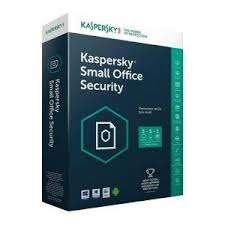
Kaspersky Small Office Security Latest Version- (1 Server + 5 Machines PCS)
KSh19,000.00
Fiber
Description
Kaspersky Small Office Security Latest Version- (1 Server + 5 Machines PCS)
Kaspersky Small Office Security (1 Server + 5 PCs) Latest Version is a comprehensive cybersecurity solution designed specifically for small businesses. This package offers powerful protection for both your server and workstations, ensuring your network remains safe from viruses, malware, ransomware, and other online threats. With coverage for 1 server and 5 PCs, it provides robust security for the essential devices that run your business operations.
The software provides real-time protection, blocking harmful websites, phishing attempts, and malicious email attachments. Web and email filtering tools ensure that your employees can browse safely without risking exposure to online threats. The built-in firewall prevents unauthorized access to your network, while the remote management capabilities allow administrators to manage and monitor the security of all devices from a centralized location.
Kaspersky’s cloud-assisted security continuously updates the protection, keeping you safe from the latest threats. The data encryption feature ensures that sensitive information is protected, while backup and recovery options safeguard your critical business data. In case of any loss, you can easily restore files with minimal disruption.
For enhanced convenience, Kaspersky Small Office Security includes a Password Manager to securely store and manage passwords, as well as anti-theft features to protect your mobile devices. Additionally, performance optimization tools ensure that your systems remain fast and efficient.
With 24/7 customer support and automatic updates, Kaspersky Small Office Security is a reliable and user-friendly solution for small businesses looking to protect their digital infrastructure and sensitive data.
Related products
-
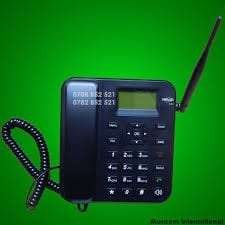
Dual Simcard Home/ Office Desktop Phone – Kenya
KSh4,200.00Add to cartDual Simcard Home/ Office Desktop Phone
The Dual SIM Card Home/Office Desktop Phone is a versatile communication device designed to integrate the convenience of mobile connectivity with the stability of a desktop phone. Featuring a 2.8-inch color LCD screen with adjustable brightness, it provides clear and easy-to-read information, including call details and SMS messages.
This phone supports dual SIM cards, allowing users to manage two different mobile networks simultaneously. It is compatible with GSM 850/900/1800/1900 MHz bands, making it suitable for use in various regions with 2G or 3G network coverage. The external antenna enhances signal reception, ensuring reliable connectivity.
The device includes a full-duplex hands-free speakerphone with adjustable volume, making it ideal for hands-free conversations and conference calls. It also features a phonebook that can store up to 500 contacts, and it records up to 100 incoming, outgoing, and missed calls in its call log.
With SMS functionality, users can send and receive text messages directly from the phone, adding to its versatility. The phone offers multiple ringtone options with adjustable volume settings, and it has configurable speed dial keys for quick access to frequently called numbers.
The Dual SIM Card Desktop Phone is powered by a rechargeable lithium-ion battery, providing up to 72 hours of standby time and 5 hours of talk time. For continuous use, it comes with an AC adapter, and the battery backup ensures that calls and messages are not missed during power interruptions.
Additional features include a 3.5mm headset port for wired headsets, a micro USB port for charging and data transfer, and a built-in alarm clock with a snooze function. The phone supports a multilingual user interface, accommodating various languages.
Designed with practicality in mind, the phone has dimensions of approximately 210 x 160 x 65 mm and weighs around 600 grams. It operates effectively within a temperature range of 0°C to 45°C and a humidity range of 10% to 90% non-condensing, making it a reliable choice for home or office use.
Overall, this dual SIM card desktop phone combines the functionality of traditional landline phones with the flexibility of mobile networks, making it an excellent choice for users who need both mobile and fixed-line connectivity.
-
Biometric Access control for office – Kenya
KSh60,000.00Add to cartBiometric Access control for office
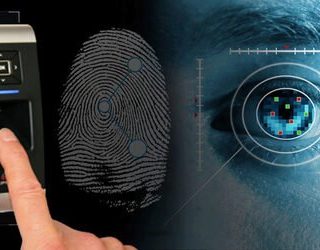
A Biometric Access Control System for Offices provides a robust and highly secure solution for managing entry and ensuring the safety of corporate premises. Utilizing advanced biometric technologies like face recognition, fingerprint scanning, and iris scanning, this system ensures that only authorized personnel can access sensitive areas. It can accommodate up to 10,000 fingerprint templates, 3,000 face templates, and 30,000 card users (optional), providing flexible user management for various office sizes.
The system offers multiple authentication modes, including dual-factor authentication, combining biometrics with card or PIN entry for added security. With anti-tailgating features, real-time monitoring, and detailed audit trails of every access attempt, it provides a comprehensive security solution that not only restricts unauthorized access but also tracks entry times and activities. The system also includes alarm systems for unauthorized access attempts or forced entries, ensuring constant security vigilance.
Easy to integrate with existing security systems and time attendance software, this access control system supports various communication protocols (TCP/IP, RS485, Wiegand) and can connect to the cloud or local servers for remote management. It also features emergency access modes, such as quick unlocks during evacuations or emergencies.
Designed for reliability in both indoor and outdoor environments, it operates in temperatures from -10°C to 50°C, with IP65-rated weatherproofing for harsh environments. Whether it’s for a corporate office, restricted departments, or conference rooms, this biometric access control system offers a modern, secure, and efficient solution for businesses aiming to enhance workplace security while improving employee access management.
-
 Add to cart
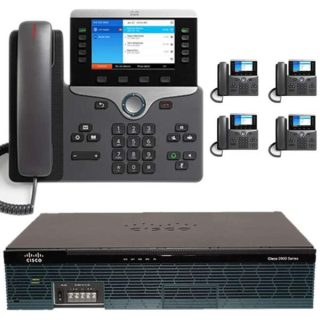
Advantages / Benefits of Cisco IP PBX Office Telephone Mtech
Cisco Small business PBX phone systems today are increasingly more sophisticated. Here’s a quick comparison of a conventional small business PBX system and a Unified Communications system that combines an Internet Protocol (IP) PBX and other features.
Cisco IP PBX can do everything a traditional small business PBX can do and more. It performs the switching and connecting of Voice over IP as well as landline calls.
A conventional PBX requires two networks, one for data and another for voice. An IP PBX system runs on an IP data network, which saves costs and minimizes network management.
Advantages of Cisco IP PBX System
Easier to install & configure than a proprietary phone system
An IP PBX runs as software on a computer and can leverage the advanced processing power of the computer and user interface as well as features. Anyone proficient in networking and computers can install and maintain an IP PBX. By contrast a proprietary phone system often requires an installer trained on that particular system!
Easier to manage because of web/GUI based configuration interface
An IP PBX can be managed via a web-based configuration interface or a GUI, allowing you to easily maintain and fine tune your phone system. Proprietary phone systems have difficult-to-use interfaces which are often designed to be used only by phone technicians.
Significant cost savings using VoIP providers
With an IP PBX you can easily use a voip provider for long distance and international calls. The monthly savings are significant. If you have branch offices, you can easily connect phone systems between branches and make free phone calls.
Eliminate phone wiring
An IP Telephone system allows you to connect hardware IP phones directly to a standard computer network port (which it can share with the adjacent computer). Software phones can be installed directly on the PC. You can now eliminate the phone wiring and make adding or moving of extensions much easier. In new offices you can completely eliminate the need for wiring extra ports to be used by the office phone system!
Eliminate vendor lock in
IP PBXs are based on the open SIP standard. You can mix and match any SIP hardware or software phone with any SIP-based IP PBX, PSTN Gateway or VOIP provider. In contrast, a proprietary phone system often requires proprietary phones to use advanced features, and proprietary extension modules to add features.
Scalable/ Expandle
Proprietary systems are easy to outgrow. Adding more phone lines or extensions often requires expensive hardware modules. In some cases you need an entirely new phone system. Not so with an IP PBX. A standard computer can easily handle a large number of phone lines and extensions – just add more phones to your network to expand!
Better customer service & productivity
With an IP PBX you can deliver better customer service and better productivity. Since the system is now computer-based, you can integrate phone functions with business applications. For example, bring up the customer record of the caller automatically when you receive his/her call, dramatically improving customer service and cutting costs by reducing time spent on each caller. Outbound calls can be placed directly from Outlook, removing the need for the user to type in the phone number.
8. Twice the phone system features for half the price
Since an IP PBX is software-based, it is easier for developers to add and improve feature sets. Most VoIP phone systems come with a rich feature set, including auto attendant, voice mail, ring groups, and advanced reporting. Unified Communications features are included, to support presence, video and audio conferences and free calls via the data network. These options are often very expensive in proprietary systems.
9. Allow hot desking & roaming
Hot desking, the process of being able to easily move offices/desks based on the task at hand, has become very popular. Unfortunately traditional PBXs require extensions to be re-patched to the new location. With an IP PBX the user simply takes his phone to his new desk – No patching required!
Users can roam too – if an employee has to work from home, he/she can simply fire up their SIP software phone and are able to answer calls to their extension, just as they would in the office. Calls can be diverted anywhere in the world because of the SIP protocol characteristics!
10. Better phone usability: SIP phones are easier to use!
Employees often struggle using advanced phone features. Setting up a conference, or transferring a call on an old PBX requires detailed instructions.
Not so with an IP PBX – all features are easily performed from a user friendly GUI. In addition, users get a better overview of the status of other extensions, of inbound calls, call queues, and presence via the clients. Proprietary systems often require expensive “system” phones to get an idea what is going on on your phone system and even then, status information is cryptic at best.
-
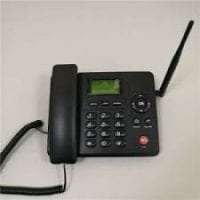
Ets Wireless 6588 GSM desktop phone – Kenya
KSh5,000.00Add to cartEts Wireless 6588 GSM desktop phone Mtech Kenya
The ETS Wireless 6588 GSM Desktop Phone is a versatile and efficient communication tool designed for users who need reliable GSM network connectivity in a desktop setting. Featuring a standard SIM card slot, this phone operates over the GSM network, making it an ideal choice for locations where traditional landline service is not available or desired.
The device boasts a 2.4-inch color LCD display, which provides clear visibility of call information, contact details, and menu options. It includes a numeric keypad along with 10 programmable speed dial keys and various function keys, ensuring quick and easy access to essential features and frequent contacts.
For optimal call quality, the ETS Wireless 6588 is equipped with noise cancellation and echo reduction technology. It offers full-duplex speakerphone functionality for hands-free conversations and includes a 3.5mm headset jack for private calls.
The phone supports key call management features such as call forwarding, call transfer, call hold, conference calling, call waiting, and caller ID. It is powered by an AC adapter and features a rechargeable internal battery (typically around 1500mAh), which provides backup power to keep the device operational during power outages.
Connectivity is straightforward with a single Ethernet port for LAN connection, enabling network integration. Security is maintained with basic GSM encryption for calls, and the device can be updated via USB or Over-The-Air (OTA) for firmware enhancements.
With dimensions of approximately 6.5** x 5.5** x 2.5** and a weight of around 1.3 lbs, the ETS Wireless 6588 is compact and designed to fit comfortably on a desk. It comes with a desktop stand and may offer optional wall mounting. Available in classic black or gray, it seamlessly blends into various office or home environments.
-
 Add to cart
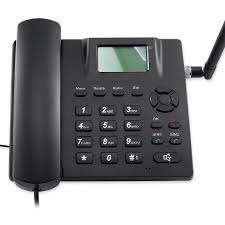
Dual Simcard Landline Desktop Phone for Home & Offices Mtech
Fixed Terminal desk phone with sim card slots. Ease to use in your office or at home Desk Phones works with networks in Kenya and anywhere. Safaricom, Airtel, Telkom, YU Desktop phone can be kept anywhere in your house, office, village and other remote locations with poor signals Rechargeable Li-ion battery that lasts very long up to 48 hours after a power cut



Reviews
There are no reviews yet.