

Starlink Gen 3 Router Wall Mount with Standard Power Supply Mount; Starlink V3 ABS Mounting bracket Kit, Starlink Accessories for RV, Truck, Vehicle, Office
KSh15,897.00
Compatible with: Starlink Gen 3 Router
and Power. Tools to prepare: drill, markers, phillips screwdriver. The white
stand kit is made of ABS plastic material, which is not easy to deform or
damage after long time use. Fitted with self-tapping screws and expansion
bolts for simple and neat installation on walls or other flat surfaces. The
router and power brackets set is also come with a cable retention feature to
ensure that cables are not accidentally unplugged. Starlink Gen 3 router and
power stand kit package size :8*5.5*3 inches.
Starlink Gen 3 router and power stand set
is a very useful product designed to solve space problems. Installation Guide 1. Preparation You need to prepare drill
bit, markers, Phillips screwdriver. Choose a flat and sturdy wall or surface
near the power outlet. 2. Marking and drilling Mark the installation position
with a marker. Drill holes, pay attention to the depth to avoid damaging the
wall. 3. Install the mounting bracket Align the mounting bracket with the
holes. Use a phillips screwdriver to fix the mounting bracket. 4. Mounting
the router and power Place the router and power on the mounting bracket.
Connect the cables to ensure firmness. 5. Organize cables Secure the cables
to the mounting bracket to avoid accidental pulling out of the cables.
Related products
-
 Add to cart
What is CPE977: ULNA WiFi Bridge CPE977
features a digital display, enabling easy dial-based pairing without PC GUI
access; This outdoor wireless bridge simplifies point-to-point/multi-point
pairing and is compatible with Starlink and other providers 100Mbps and
1000Mbps 2*LAN Ports: Extend wifi/network from building to building,
transmission rate between 2 point to point wireless bridge up to 1200Mbps;
The network speed up to 433Mbps, ideal for extending Video/network to office,
shop, or garage etc 5.8GHz Wireless Bridge: Powered by 5.8G IEEE 802.11ac
technology, this wireless internet bridge provides stronger anti-interference
and better compatibility than 2.4G CPEs, ensuring stable 4K video and gaming
transmission Up to 5KM/3.1Miles: Equipped with 16 dBi directional antennas,
this outdoor WiFi bridge extends networks up to 5KM/3.1Miles; The wifi bridge
point to point outdoor is ideal for extending WiFi to a warehouse, garden, or
barn near your home Plug and Pla -
 Add to cart
[(Universal Pole Mount)] :This J pole
mount bracket is designed to be compatible with various wireless bridge
devices ,access point,antennas and more . It is very sturdy and waterproof,
specifically designed for outdoor use without fear of being knocked down by
inclement weather. [(Designed for walls or poles)] :There are two
installation methods for this bracket, which can be installed ona pole or
wall-mounted. You can choose the location you want to install according to
your needs. [(Durability)] Constructed with high-quality materials, it offers
a sturdy and reliable support system for your wireless bridge. Once mounted,
the bracket provides stability and prevents unwanted movement or vibrations,
ensuring consistent performance of your wireless network. [(Adjustable angles
design)] : The mounting pole can be rotated 150 degrees, perfect for the
flat, angle, or vertical positions.After you install the CPE, adjust the
angle of the rod to receive signals of different strengths. ^ -
 Add to cart
[(Aluminum Alloy Material)] Our starlink
roof mount is made of and oxidation-resistant aluminum alloy material, with
excellent durability and load-bearing capacity, and has a powder-coated
surface for excellent resistance to rain, snow, wind and other elemental
capabilities, ensuring long-term use and stability. [(Safe and Reliable)] The
starlink mounting kit has a wide base to firmly support the Internet
satellite receiving antenna, ensuring signal stability and high-speed
transmission. It is suitable for installation on eaves and various surfaces,
such as wood, brick walls, and concrete walls. [(Wide Compatibility)] This
Starlink mounting bracket is suitable for various of Starlink signal towers,
and the angle and positioning can be easily adjusted according to the
installation needs of different locations and scenarios. [(Easy to Install)]
The starlink short wall mount is easy to install, no professional skills or
experience required – just install the expansion screws, then -
 Add to cart
5.8GHz / 300Mbps High-Speed Transmission:
This wireless bridge utilize advanced 5.8GHz 300Mbps wireless technology and
are equipped with a 12dBi high-gain antenna. With a maximum transmission
range of up to 2 miles (Barrier-free), they offer reliable and fast
connectivity. The built-in 100Mbps LAN port ensures seamless wired network
speed, making it ideal for point-to-point internet access sharing, remote IP
camera surveillance, or remote network Wi-Fi access. PTMP Pre-programmed for
Easy Setup: Simply connect both bridges to the PoE adapters using Ethernet
cables, and the system will automatically power on. After waiting for 1
minute, the equipment will pair and establish a connection. The
“Link” green LED indicator confirms successful pairing. This
feature simplifies installation and eliminates the need for complex
configurations, perfect for extending internet access to locations like
garages, barns, stores, and warehouses using 5.8GHz wireless transmission
instead of c -
 Add to cart
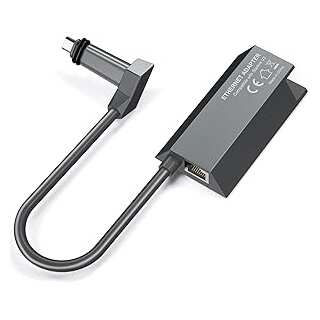
Plug and play Compact Design Hard wire
Smart TVs, computers or and network cable connected device Sleek design
Compact Gigabit speeds Amazon Prime ships fast!



Reviews
There are no reviews yet.