
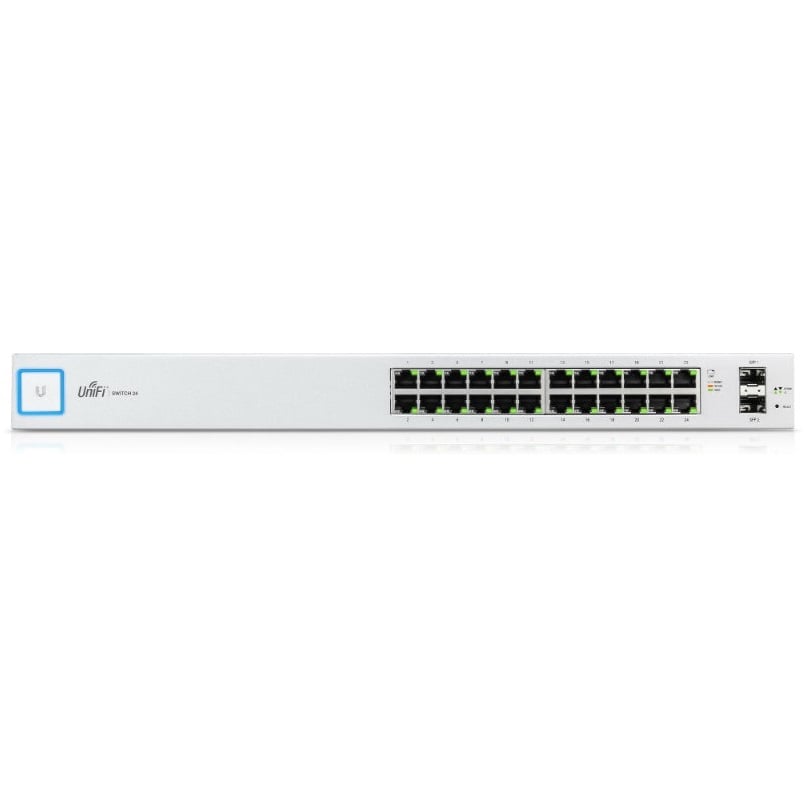
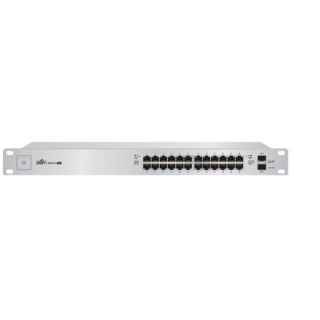
Ubiquiti Networks UniFi US-24 network switch Managed Gigabit Ethernet (10/100/1000) 1U White (US-24)
KSh30,318.18
**
Ubiquiti
Networks UniFi US-24 network switch Managed Gigabit Ethernet (10/100/1000) 1U
White
Overview
Build and expand your network with Ubiquiti Networks® UniFi® Switch, part
of the UniFi line of products.
Available with 24 or 48 RJ45 Gigabit ports, the UniFi Switch is a fully
managed Gigabit switch, delivering robust performance and intelligent
switching for your growing networks.
Switching Performance
The UniFi Switch offers the forwarding capacity to simultaneously process
traffic on all ports at line rate without any packet loss.
For its total, non?blocking throughput, the 24?port model supports up to 26
Gbps, while the 48-port model supports up to 70 Gbps.
Fiber Connectivity
Each model includes two SFP ports for uplinks of up to 1 Gbps.
The 48?port model adds two SFP+ ports for high-capacity uplinks of up to 10
Gbps, so you can directly connect to a high?performance storage server or
deploy a long?distance uplink to another switch.
UniFi Controller
Designed for convenient management, the UniFi Controller software allows
admins to configure and monitor the UniFi Switch and other UniFi devices
using a graphical user interface. You can download it from www.ubnt.com at no
extra charge – there is no separate software, licensing, or support
fee.
Multi-Site Management
A single instance of the UniFi Controller running in the cloud can manage
multiple UniFi sites within a centralized interface. Each site is logically
separated and has its own network monitoring, configuration, maps,
statistics, and admin accounts.
Dashboard
The Dashboard tab provides a visual representation of your network’s
status. Basic information is provided for each network segment.
Device Configuration
The Devices screen displays the UniFi devices discovered by the UniFi
Controller. You can access each managed device for device details and
configuration.
Switch Configuration
You can access any managed UniFi Switch through the UniFi Controller to
configure a variety of features:
Operation mode (switching, mirroring, or aggregate) per port
Network/VLAN configuration
Jumbo frame and flow control services
Network settings
Storm control setting per port
Spanning tree configuration
802.1x control and RADIUS VLAN
Debug terminal option for command-line interface
Switch Port Status
You can also view status information for each port:
Connection speed and duplex mode
TX/RX data rates
Network/VLAN setting
Related products
-
 Add to cart
Layer 2,
PoE switch with (48) GbE, PoE+ and 24V passive PoE RJ45 ports, (2) 1G SFP
ports, and (2) 10G SFP+ ports.(48) GbE PoE+ ports
(2) 1G SFP ports
500W total PoE availability
-
Ubiquiti ECS-48S-PoE Enterprise Campus 48S PoE Switch
KSh715,385.63Add to cartEnterprise-grade
48-port, Layer 3 Etherlighting™ PoE+++ switch with Stacking support and
high-capacity 10 GbE RJ45 and 25G SFP28 connections for high availability
system design.(16) 10 GbE, (32) 2.5 GbE ports, all PoE+++ (90W capable)
(4) 25G SFP28 ports
(2) 100G QSFP28 ports for Stacking
Up to 2,150W PoE availability*
(2) included hot-swappable power modules
(4) included hot-swappable fan modules with one backup
(1) GbE management and (1) console port
Note. Recommend being paired with Enterprise Campus Aggregation.
*Requires shared mode.
Reviews
There are no reviews yet.