
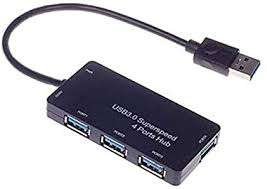
USB3.0-Super-speed 4 Ports HUB
KSh3,200.00
Description
USB3.0-Super speed 4 Ports HUB
he USB 3.0 SuperSpeed 4-Port Hub is an essential accessory for expanding the connectivity of your computer or laptop. With its four high-speed USB 3.0 ports, this hub allows you to connect multiple devices simultaneously, ensuring fast data transfer and efficient multitasking.
Key Features:
High-Speed Connectivity: Each of the four USB 3.0 ports supports data transfer rates of up to 5 Gbps, enabling rapid file transfers and smooth operation of connected devices.
Backward Compatibility: The hub is compatible with older USB 2.0 and USB 1.1 devices, ensuring seamless integration with a wide range of peripherals.
Convenient Power Options: Powered through the USB bus for standard use, with the option to use an external power adapter (depending on the model) to support additional power-hungry devices.
Versatile Chipset: Often equipped with advanced chipsets like the VL812, ensuring stable and reliable performance.
Durable Design: Constructed from high-quality plastic or metal, the hub is designed to withstand daily use while maintaining a sleek and compact profile.
User-Friendly: Features LED indicators for power and data transfer status, making it easy to monitor hub activity. Hot-swappable functionality allows you to connect and disconnect devices without needing to power down your computer.
Broad Compatibility: Works with various operating systems including Windows 7, 8, 10, macOS 10.6 and later, and Linux (with appropriate drivers).
Ideal for users who need to connect multiple USB devices to a single port, this hub offers both speed and convenience, making it a valuable addition to your tech setup.
Related products
-
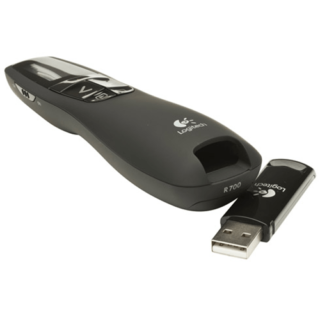
Logitech R700 Professional Laser Pointer – Kenya
KSh8,500.00Add to cartLogitech R700 Professional Laser Pointer in Kenya
Logitech R700 Professional Laser Pointer price in Kenya is 9000 Shillings. The Logitech Professional presenter R700 helps you navigate through slideshows and highlight your points using a brilliant red laser pointer. With a wireless range of up to 30 m, you can control your presentations, no matter where you are standing.
Youll enjoy the freedom to move around the room and mingle with your audience for greater impact. A reception-level indicator ensures you dont wander too far. Navigate through your presentation with confidence with the intuitive slideshow controls.
Theres no software to install. Just plug the receiver into a USB port to begin. And when the show is over, you can store the receiver in the presenter. A brilliant red laser pointer helps you get their attention and keep it. Keep track of time, battery, and wireless reception with a glance or with silent, vibrating alerts. You remain focused on your presentation, not the clock.
Logitech R700 Professional Laser Pointer price and specs in Kenya
Price in Kenya Ksh. 9000
Display LCD Display with Timer and Indicators
Range Up to 100-foot (30-meter) range
Presenter mode Yes
Laser Pointer Built-In red Laser Pointer
Wireless 2.4GHz RF Wireless Technology
Plug-and-Play Technology Yes
Intuitive slideshow controls Yes
Color Black
User experience Comfortable -
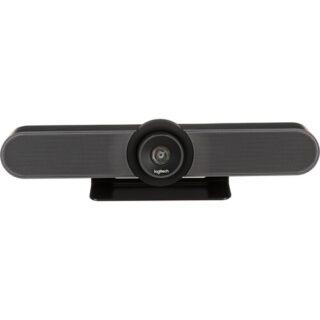
Logitech MeetUp Video Conference Camera – Kenya
KSh96,000.00Add to cartLogitech MeetUp Video Conference Camera in Kenya
Logitech MeetUp Video Conference Camera Price in Kenya is Ksh 96,000.Add the MeetUp All-In-One 4K ConferenceCam from Logitech to your small conference room to capture audio and video of everyone in the room. The compact design keeps wiring to a minimum and can be easily mounted on a table or on the wall.
The camera features a 120° lens with a 5x zoom which captures a wide field of view, keeping all subjects in focus without a fisheye effect. The camera captures up to 1080p video over USB 2.0, and up to 4K UHD video with a separately available USB 3.0/3.1 Gen 1 cable at 30 fps. Its pan, tilt, zoom, volume, mute, and answer/hang-up functions can be controlled by the included RF remote control or by the ConferenceCam Soft Remote app for Android and iOS over Bluetooth. You can also connect your smartphone via Bluetooth to use the MeetUp speaker for rich, clear sound.
The ConferenceCams audio features include three built-in microphones that have a range of 8**. If you have a larger room to cover, an optional Expansion Mic for MeetUp can be added to extend your audio capture range to 14**. Microphone features include a low-distortion algorithm, background noise reduction, and echo cancellation. The built-in speaker provides clear audio and peak-limiting to prevent clipping.
The MeetUp connects to a macOS or Windows computer via plug-and-play USB, and supports numerous conferencing applications such as Skype for Business, Microsoft Cortana, Cisco Jabber, and WebEx. It also integrates with Logitech Collaboration Program (LCP) members which include BlueJeans, Broadsoft, LifeSize Cloud, Vidyo, and Zoom.
You can mount your MeetUp on a table or wall with the included wall mount, or an optional TV mount can be purchased to mount above or below a wall-mounted flat-panel TV with standard VESA mounts. A built-in Kensington security slot allows you to lock down your MeetUp when not in use. The unit also comes with a 16** USB cable and power adapter.
System Requirements
Windows 7, Windows 8.1, or Windows 10.
macOS 10.10 or higher.
Chrome OS Version 29.0.1547.70 and higher.
USB 2.0 port (USB 3.0/3.1 Gen 1 required for 4K video).
Camera Optics
MeetUp features camera optics that capture a wide field of view without distorting faces and furniture with a fisheye effect. Faces look natural, whiteboard writing remains legible, and straight lines stay straight.
5x Zoom Lens
Zoom in on whiteboards and objects so remote participants can see what you see. Thanks to its advanced 4K image sensor, video remains sharp and clear, even when you zoom in on the details.
Camera Operation
The camera features three presets and motorized pan/tilt operation.
Built-In Microphone, Optional Expansion Mic
MeetUps built-in beamforming mics are optimized for up to 8**. To extend that range up to 14**, add an optional Expansion Mic. Whether people are seated at a table, sitting against the wall, or walking around the room, the Expansion Mic for MeetUp means everyone will be heard.
Bluetooth Speakerphone
If youre already connected on your smartphone or dialing into an audio conference, pair MeetUp with your smartphone or tablet to enjoy outstanding audio clarity, volume, and range that handheld devices cant match.
RF Remote Control
With a multi-directional remote control, you can easily operate camera controls, adjust volume, and mute/unmute from anywhere in the room. Featuring a low-profile design, durable materials, and a non-slip base, the MeetUp Remote Control feels as good on the tabletop as it does in your hand.
Smartphone Remote Control
The ConferenceCam Soft Remote app for Android and iOS (available on Google Play and iTunes) replicates every function of the physical MeetUp remote on your smartphone or tablet.
Wall Mount or Optional TV Mount
The MeetUp includes a mounting kit with the hardware you need to mount the unit on a wall or mount onto a table. The optional Logitech TV Mount for MeetUp lets you mount the MeetUp ConferenceCam either above or below a flat-panel monitor, and attaches to the industry-standard VESA mounting points available on most TVs and monitors.
Kensington Security Slot
Secure the MeetUp when not in the conference room with a Kensington-compatible security slot.
Software Compatibility
MeetUp works with most any video conferencing application or meetings service.
Skype for Business certified.
Microsoft Cortana certified.
Cisco Jabber and WebEx compatible.
Enhanced integration with Logitech Collaboration Program (LCP) members, including BlueJeans, Broadsoft, LifeSize Cloud, Vidyo, and Zoom. -

Apple Mac mini with M4 Chip – Kenya
KSh94,999.00Add to cartApple Mac mini with M4 Chip in Kenya
Apple Mac mini with M4 Chip Price in Kenya is KShs 165,000. At just five by five inches, the Apple Mac mini is less than half the size of the previous Mac mini. The compact Mac mini has a small footprint in your workspace and its lightweight design makes it easy to move, mount, and rack. Now housing the powerful M4 10-Core chip, the Mac mini delivers up to 1.8x faster CPU performance and 2.2x faster GPU performance over the M1 model. Add 16GB of unified RAM, 1TB of storage, Wi-Fi 6E, Gigabit LAN, and Thunderbolt 4, and the Mac mini is a tiny powerhouse. The Mac mini also features Apple Intelligence, the personal intelligence system that transforms the way you express yourself, all while protecting your privacy. As Apple**s first carbon neutral Mac, the Mac mini has seen over 80 percent reduction in greenhouse gas emissions across its materials, manufacturing, transportation, and customer use.Buy Apple Mac mini with M4 Chip at Adishnetservices Kenya
This Mac comes preloaded with macOS. Updates can be downloaded for free via the Mac App Store. Please check Apple**s website for upgrade eligibility. Also, please note that a keyboard and mouse are not included.
Supercharged by M4
The M4 chip brings a performance boost to Mac mini. Featuring a faster 10-Core CPU, the Mac mini is up to 1.8x faster than Mac mini with M1. Users will feel this performance across everyday activities like multitasking between their favorite apps and browsing webpages in Safari. And with a powerful GPU, featuring Apple**s advanced graphics architecture, Mac mini with M4 handles more intense workloads, like photo editing and gaming, up to 2.2x faster than the Mac mini with M1. The M4 also brings hardware-accelerated ray tracing to the Mac mini for the first time. The Mac mini comes standard with 16GB of faster unified memory. The Neural Engine in the M4 is now over 3x faster than on Mac mini with M1, making it a solid option for AI, and accelerating the pace at which users can get things done.
Looks Small. Lives Large.
Measuring in at just five by five inches, the Mac mini saves a lot of space on your desk. I ts smaller design reduces aluminum use in the enclosure by 85 percent compared to the previous generation. Weighing just 1.5 pounds, the Mac mini is easy to move, rack, or mount just about anywhere.
Built to Chill
A smaller design requires an improved thermal architecture to keep temperatures low. Within the Mac mini, air is guided to different levels of the system, and all of it flows through the foot. Combined with Apple silicon**s power efficiency, the Mac mini can breeze through intensive workloads at fast speeds without overheating.
A New Era with Apple Intelligence on the MacApple Intelligence harnesses the power of Apple Silicon and the Neural Engine to unlock new ways for users to work, communicate, and express themselves on Mac. It is available in U.S. English with macOS Sequoia 15.1. With systemwide Writing Tools, users can refine their words by rewriting, proofreading, and summarizing text nearly everywhere they write. With the newly redesigned Siri, users can move fluidly between spoken and typed requests to accelerate tasks throughout their day, and Siri can answer thousands of questions about Mac and other Apple products. New Apple Intelligence features will be available in December, with additional capabilities rolling out in the coming months. Image Playground gives users a new way to create fun original images, and Genmoji allows them to create custom emoji in seconds. Siri will become even more capable, with the ability to take actions across the system and draw on a user**s personal context to deliver intelligence that is tailored to them. In December, ChatGPT will be integrated into Siri and Writing Tools, allowing users to access its expertise without needing to jump between tools.
Apple Intelligence does all this while protecting users** privacy at every step. At its core, is on-device processing, and for more complex tasks, Private Cloud Compute gives users access to Apple**s even larger, server-based models and offers groundbreaking protections for personal information. In addition, users can access ChatGPT for free without creating an account, and privacy protections are built in-their IP addresses are obscured and OpenAI won**t store requests. For those who choose to connect their account, OpenAI**s data-use policies apply.
Writing Tools
Apple Intelligence can proofread your text and rewrite different versions until the tone and wording are just right, and summarize selected text with a click.
Image Playground
Create fun, original images based on a , a concept, or even a person from your Photos library.
Natural Language Search in Photos
Search for photos and videos simply by describing what you**re looking for.
PortsThe back of the Mac mini features three Thunderbolt 4 ports, delivering 40 Gb/s of data throughput. There is also an HDMI port and a Gigabit Ethernet RJ45 LAN jack. At the front, there are two 10 Gb/s USB-C 3.2 Gen 2 ports and a 3.5mm headphone jack.
The Mac mini can simultaneously support up to three displays, two 6K 60 Hz displays over Thunderbolt 4 and a 4K 60 Hz display over HDMI. For higher resolutions, the Mac mini can support two displays, one 5K 60 Hz display over Thunderbolt and an 8K 60 Hz or 4K 240 Hz display over Thunderbolt or HDMI.
macOS ** Let Your Apps Fly
The Mac mini comes loaded with built-in apps, privacy and security, and amazing features for work and play. And macOS brings more speed and responsiveness to all your go-to apps-from Microsoft Word, Excel, and Outlook to Slack and Adobe Photoshop.
Mac + iPhone: The One-Two Punch
Use your Mac mini and iPhone together in perfect harmony. Make and answer calls and text messages from your iPhone directly on your Mac. Don**t have a webcam** You can use your iPhone instead. Left your iPhone in another room** You can access it wirelessly with the iPhone Mirroring app in the Dock.
Plug and Slay
The Mac mini is designed to pair perfectly with the Apple Studio Display, Magic Keyboard, and Magic Mouse (all sold separately). However, the Mac mini is also ready to work with third-party displays and accessories you already own. You can mix, match, and make the Mac mini truly yours.
The First Carbon Neutral MacThis Mac mini is Apple**s first carbon neutral Mac, marking a significant milestone toward Apple 2030, the company**s goal to be carbon neutral across the entire carbon footprint by the end of this decade.
The Mac mini is made with over 50 percent recycled content overall, including 100 percent recycled aluminum in the enclosure, 100 percent recycled gold plating in all Apple-designed printed circuit boards, and 100 percent recycled rare earth elements in all magnets. Apple also used renewable energy to manufacture the Mac mini. Apple also invested in clean energy projects and prioritized lower-carbon modes of shipping, like ocean freight, to further reduce emissions from transportation. Together, these actions have reduced the carbon footprint of the Mac mini by over 80 percent. For the small amount of remaining emissions, Apple applies high-quality carbon credits from nature-based projects, like those generated by its innovative Restore Fund.
In another first for the Mac mini, the packaging is now entirely fiber-based, bringing Apple closer to its goal to remove plastic from its packaging by 2025.
-
 Add to cart
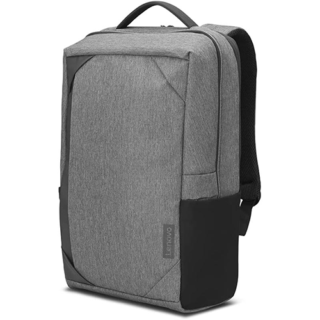
Lenovo 15.6-inch Business Casual Backpack (Grey/Black) Price in Kenya
Lenovo 15.6-inch Business Casual Backpack (Grey/Black) Price in Kenya is Ksh 5,700. The Lenovo Business Casual Line is a case collection focusing on lightweight, clean lines and modern details for young professionals** daily commute and occasional travel. This Lenovo Business Casual 15.6-inch Backpack is made of durable and water-resistant polyester with a fairly light weight. The fully padded PC compartment provides great protection to your devices. A reserve charging port for easy charging while on-the-go; Being square in shape and low-key in colour make it suitable for both formal occasions and casual parties.Buy Lenovo 15.6-inch Business Casual Backpack (Grey/Black) at best price in Kenya at Adishnetservices.
Whats in the package:-
Lenovo 15.6-inch Business Casual Backpack (Grey/Black) ** 4X40X54258Visit the**official website**to learn more
Check out the latest**Mouses & Prices**in Kenya.
-
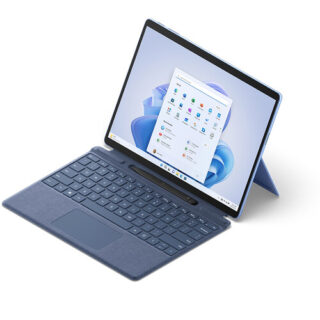
Microsoft Surface Pro 9 – Kenya
KSh125,000.00Add to cartMicrosoft Surface Pro 9 Price in Kenya
Microsoft Surface Pro 9 Price in Kenya 125,000. Be productive, creative, and entertained from almost anywhere with the 13** Microsoft Surface Pro 9, which combines the power of a laptop with the versatility of a tablet. Designed for everyday productivity, video conferencing, and gaming, this portable sapphire colored system is updated with an Intel i5 10-core processor and 16GB of LPDDR5 memory, giving it the flexibility to quickly multitask applications such as Microsoft Word, Adobe Fresco, and more installed onto its replaceable 256GB SSD. At the same time, the Surface Pro 9 maintains the familiar lightweight design of its predecessor, including a 13** 2880 x 1920 resolution PixelSense Flow touchscreen display, dual Thunderbolt 4 ports, and a convenient built-in kickstand. Wi-Fi 6E capabilities allow you to connect to compatible high-speed networks. Windows 11 Home is pre-installed. Buy Microsoft Surface Pro 9 online at best price in Kenya at Adishnetservices
Microsoft Surface Pro 9 Specs and Price in Kenya
Price in Kenya Ksh 125000
Processor
Quad-core 11th Gen Intel® Core i7-1185G7 ProcessorSecurity
Firmware TPM chip for enterprise-grade security and BitLocker support
Enterprise-grade protection with Windows Hello face sign-inSoftware
Windows 11 Home
Preloaded Microsoft 365 Apps8
Microsoft 365 Family 30-day trial9
Preloaded Xbox app
Xbox Game Pass Ultimate month trial9Sensors
Accelerometer
Gyroscope
Magnetometer
Ambient Color Sensor (brightness and color)
Surface Pro 9
12th Gen Intel Core 10-Core Processor
This system features a power-efficient Intel Core i5-1235U 10-core 12th generation processor, which contains two Performance cores with a Max Turbo frequency of 4.4 GHz to load a variety of applications while the eight Efficient cores handle background tasks for smooth multitasking.
PixelSense Flow Display
The Surface Pro 9 features a 13** edge-to-edge PixelSense Flow 10-point touchscreen display with a 2880 x 1920 resolution, delivering crisp images with 267 ppi (pixels per inch) and a 3:2 aspect ratio. The display also supports cinema-quality video with Dolby Vision IQ and comes with an ambient color sensor, which automatically adjusts the color temperature and brightness based on the lighting conditions. The default 60 Hz refresh rate may be increased to 120 Hz for smoother scrolling while browsing content in addition to minimizing motion blur when playing your favorite games.
High Resolution Cameras
Capture every moment in stunning detail with the 10MP rear camera, which records video at up to 4K resolution. Additionally, the 1080p front camera is ideal for video calls and supports quick logins via Windows Hello.
Fast Wi-Fi
Wi-Fi 6E (802.11ax) connectivity allows you to take advantage of the less congested 6 GHz band with compatible networks, delivering a clear high-speed signal for smooth video streaming, online gaming, and web browsing experiences.
Thunderbolt 4
Thunderbolt 4 is a hardware interface that utilizes the reversible USB Type-C connector and features a maximum throughput of 40 Gb/s when used with compatible devices. The connector also transmits data via USB4 at up to 20 Gb/s, and dual-bandwidth DisplayPort allows you to connect either one 8K monitor or up to two 4K displays simultaneously. Additionally, you can daisy chain up to six devices from a single port.
Power Through Your Day
The Surface Pro 9 offers up to 15.5 hours of battery life.
Complete Your Experience
Enhance your Surface Pro 9 with a separately purchased Surface Slim Pen 2 to make detailed illustrations and edits as though you were working with a pen and paper. Adding a Surface Pro Signature Keyboard provides you with a laptop experience. You can also pair the system with a variety of Bluetooth devices, including headsets, mice, and speakers.
Windows 11 Home
A New Start Position
Windows 11 has been completely redesigned from its predecessor to emphasize productivity, creativity, and ease of use. The customizable Start Menu is now at the center of the taskbar and utilizes the cloud, allowing you to quickly find and access recent files, regardless of what platform or device was previously used to view them. The streamlined Start Menu design also lets you pin apps and recent files in addition to powering down the system.
Making Productivity a Snap
Multitask with speed and efficiency with the ability to snap apps side-by-side. Snap Layouts and Snap Groups help to keep your windows organized using different layouts that are designed to fully optimize your screen space, no matter its size and resolution. Windows 11 also remembers their positions, so you can resume from where you left off when selecting Snap Groups from the task bar, allowing you to switch between both individual applications and entire projects. Snap Layouts are also automatically restored when docking laptops with external monitors.
Microsoft Teams Integration
Stay connected with friends, family, co-workers, and clients with Microsoft Teams Chat integrated onto the Windows 11 taskbar. With a touch, you can connect to your contacts via text, voice, and video, regardless of whether theyre using Windows, Android, or iOS devices. You can also communicate with those who dont have the Teams app installed using two-way SMS messaging.
Adapting to You
The Adaptive Input feature automatically optimizes the Windows 11 interface to however you prefer to interact with your device, whether its using a mouse, keyboard, touch, voice, or handwriting.

Reviews
There are no reviews yet.