
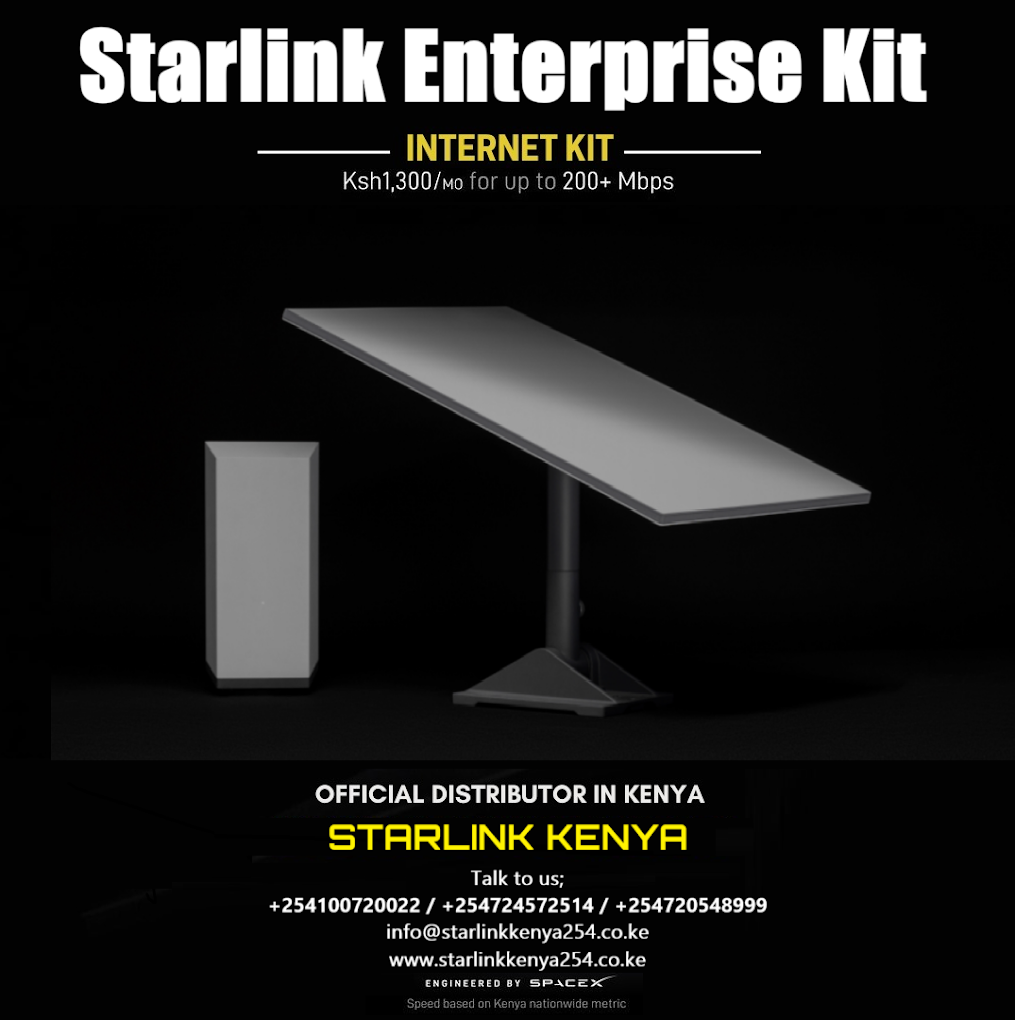
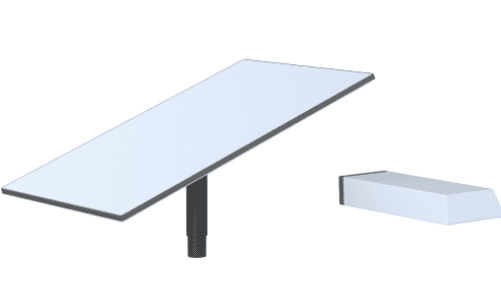
STARLINK Enterprise Kit Kenya
KSh149,000.00
Starlink Enterprise Kit – Specifications

Applications
Best for power user and fixed site business applications. Enables installation flexibility with a longer cable, choice of mount included, and ability to directly connect third party routers and custom setups. If you want to use a Starlink router, this can be purchased separately from Starlink Shop.
What’s in the box:
| Standard | Power Supply | Power Supply Mount |
|---|---|---|
 |
 |
 |
| Enterprise Cable50 m (164 ft) | AC Cable (Power Supply)1.8 m (6 ft) | Ethernet Cable5 m (16.5 ft) | Screws4x | Wall Anchors4x |
|---|---|---|---|---|
 |
 |
 |
 |
 |
Resources
- Product Specifications
- Setup Guides
- Starlink App (iOS)
- Starlink App (Android)
- Support
- Product 3D Models
Starlink
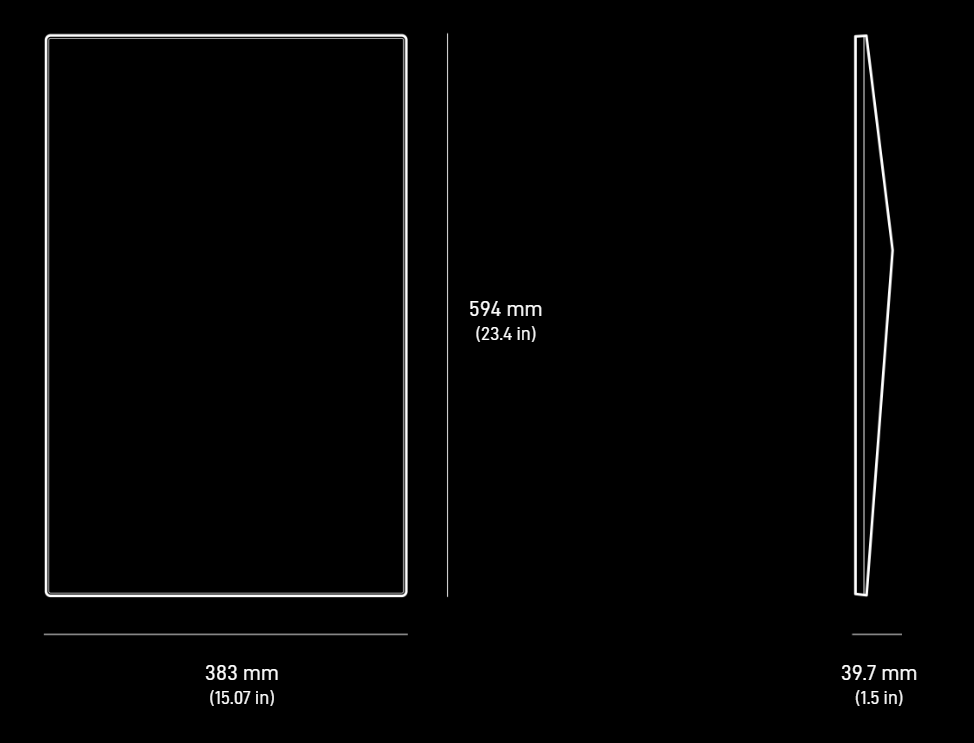
- Package Weight: 12.2 kg (27 lbs)
- Package Dimensions: 478.1 x 685.9 x 160.1 mm (18.8 x 27 x 6.3 in)
- Antenna: Electronic Phased Array
- Field of View: 110°
- Orientation: Software Assisted Manual Orienting
- Environmental Rating: IP67 Type 4
- Operating Temperature: -30°C to 50°C (-22°F to 122°F)
- Wind Speed: Operational: 96 kph+ (60 mph+)
- Snow Melt Capability: Up to 40 mm / hour (1.5 in / hour)
- Power Consumption Average: 75 – 100 W
Starlink Power Supply
- Environmental Rating: IP66
- Operating Temperature: -30°C to 50°C (-22°F to 122°F)
- Weight: 1.5kg (3lbs)
- Grounding: Dedicated Earth Terminal
- Power Specifications: 100-240V – 6.3A 50 – 60 Hz
- Mounting: Wall Mount Included

Mounts & Accessories
Mounts designed to permanently install your Starlink to avoid obstructions will be available for purchase on the Starlink Shop once your Starlink is ordered.
Starlink Enterprise Kit – Setup Guide
Helpful Tools
- Setup Guide PDF
- Starlink Enterprise Specs Guide PDF / Starlink Enterprise Specs (webpage)
- Accessory Guide PDF
- For Enterprise activation, visit your Starlink dashboard and follow the steps here.
What’s included with my Starlink Enterprise Kit?
- Starlink Standard
- Power Supply
- Power Supply Mount
- Enterprise Mount (Choice of Pipe Adapter, Wall Mount, or Pivot Mount – shipped separately)
- Enterprise Cable 50m (164 ft)
- AC Power Cable 1.8 m (6 ft)
- Ethernet Cable 5m (16.5 ft)
- Screws 4x
- Wall Anchors 4x
(For local setup):
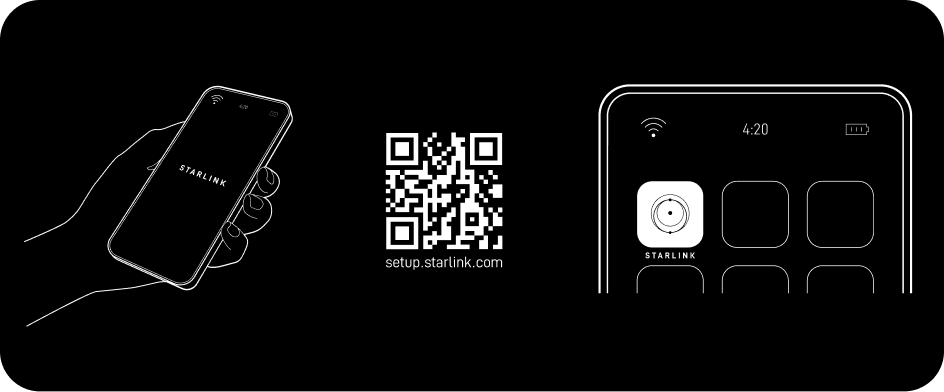
1. Download the Starlink App
Download the Starlink App and scan the QR code located on the kit packaging to step through the install process.
2. Find A Clear View of Sky and Check for Obstructions
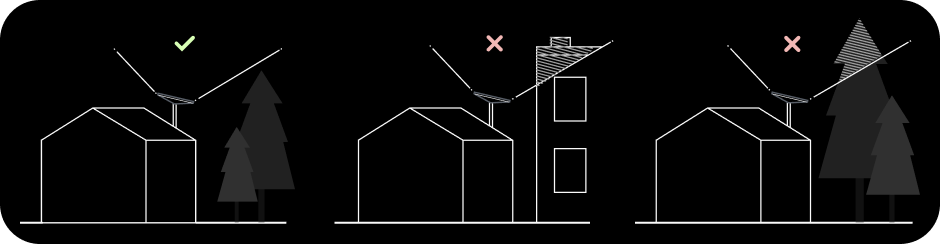
Your Starlink needs a clear view of the sky so it can stay connected with satellites as they move overhead. Objects that obstruct the connection between your Starlink and the satellite, such as a tree branch, pole, or roof, will cause service interruptions. Use the obstruction tool in the App to ensure you have selected a suitable mounting location. Click here for video guidance on obstructions.
3. Install Mount
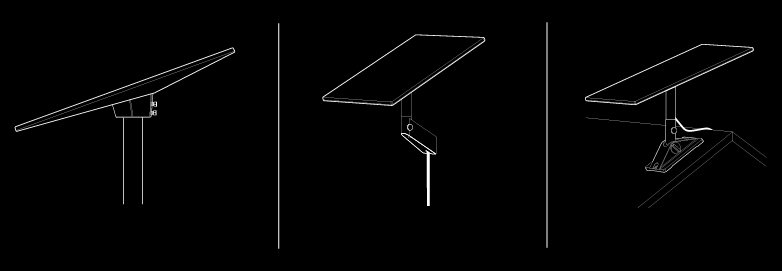
Using your desired Starlink mount, install in an elevated location, like a roof, pole, or wall. Additional mounts and accessories are available for purchase on the Starlink Shop
4. Connect and Align Starlink
Follow the cable routing instructions for your chosen Starlink mount and plug one end of the Enterprise Cable into your Starlink. Ensure the plug is fully inserted such that the plug face is flush with the surface. To remove the cable, pull firmly outward as there is no release tab. Plug the other end of the Enterprise Cable to your Power Supply.
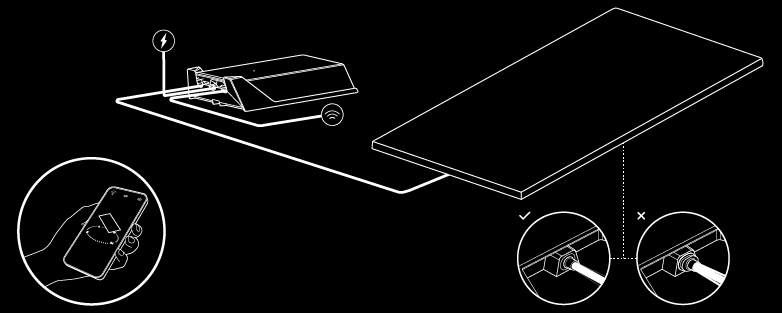
Connect the Ethernet Cable to the power supply and the other end to a router.
If you have a Starlink router, continue the install process on the Starlink app. Once connected, an alert on the app will show if you need to rotate Starlink to be properly aligned. Click the alert to use the alignment tool. See here for additional guidance on the alignment tool.
If you have a compatible third-party router, follow the router’s set up instructions.
5.Connect to WiFi
- If you’re using a Starlink router, find and connect to the STARLINK network in your device’s WiFi settings.
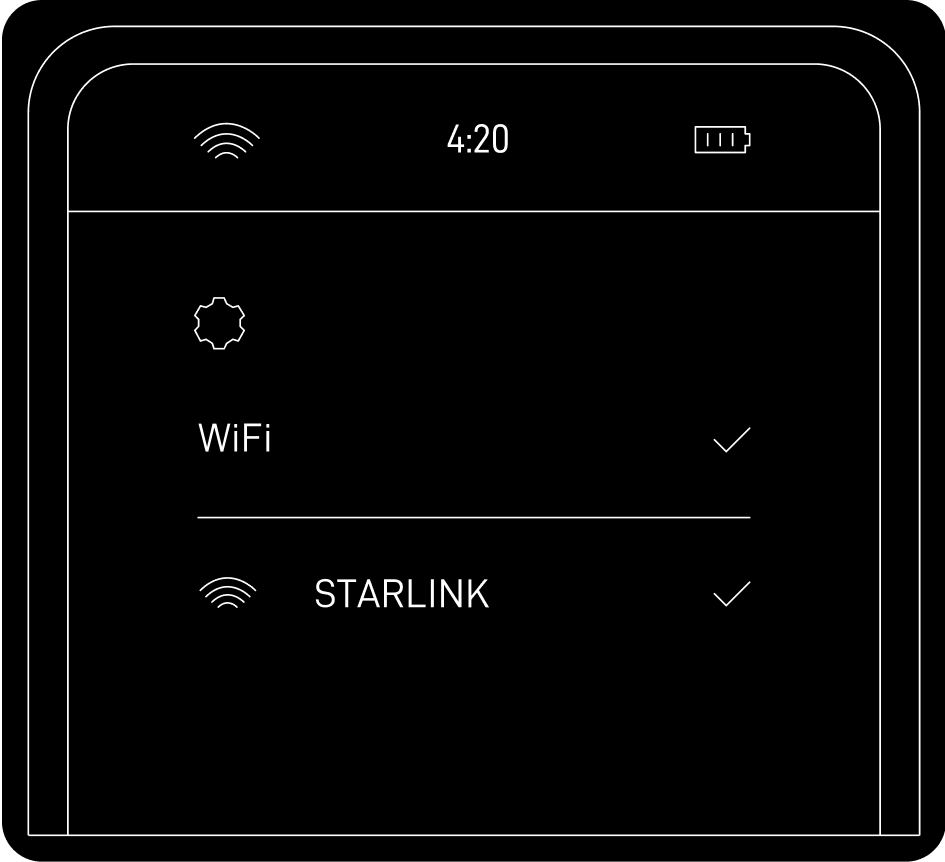
- Once connected, a browser window will open prompting you to enter a new SSID (Network name) and password (this step is optional but recommended).
- You are now connected! Open the Starlink app to customize additional settings, check your connection, and more.

| Brand |
|---|
Related products
-
 Add to cart
Engineered by SpaceX, Starlink delivers high-speed, low latency internet to the most rural and remote locations around the world.
Stream movies, make video calls, game and more—no matter how remote. Designed for self-install, the Starlink Kit has everything needed to get online in minutes.
USE IN ONE LOCATION OR ON THE GO
Starlink service plans support one location or on the go use. Starlink installation can be customized for permanent, fixed install using Starlink official mounts and accessories available for purchase in the Starlink app.
GET ONLINE IN MINUTES
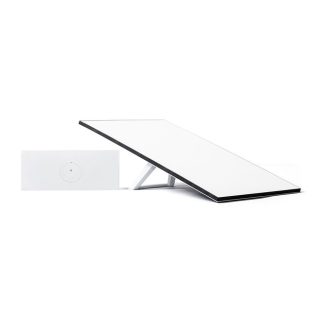
Set up Starlink with just two steps. Plug it in and point at the sky. Starlink comes with everything needed to get online including a kickstand, Gen 3 Router with 2 ethernet ports, cables and power supply.
STREAM MOVIES, MAKE VIDEO CALLS, GAME & MORE
With Starlink, users can engage in activities that historically have not been possible with satellite internet.
SERVICE PLAN REQUIRED
Activate Starlink by selecting a service plan that is customized to meet your personal needs. Select from plans suited for households or travel.
- Download the Starlink App to check which service plans are available in your area and to determine the best set up location before install
- Activate your Starlink on starlink.com/activate
NO CONTRACTS
Try any Starlink service and if not satisfied, cancel service at any time.
REQUIRES A CLEAR VIEW OF THE SKY
Starlink requires a clear view of the sky to connect to satellites.
GEN 3 Wi-Fi ROUTER
The Starlink Standard comes with a Gen 3 Router which boasts 2 ethernet ports, Wi-Fi 6, a range of up to 297 m2, and the ability to connect up to 235 devices.
WEATHER RESISTANT
Designed to endure the elements – it can melt snow and withstand sleet, heavy rain, and harsh winds.
DOWNLOAD THE STARLINK APP
Find an unobstructed view of the sky, determine the best install location, explore mounts and accessories, and manage your account–all in the Starlink App.
IN THE BOX:
- Standard V4 Antenna
- Kickstand
- Gen 3 Router
- Starlink Cable
- AC Power Cable
- Power Supply
-
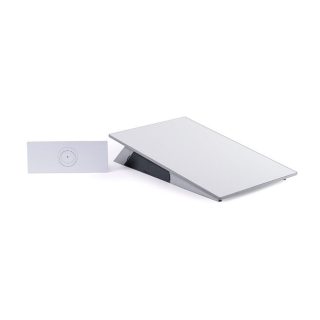
STARLINK Flat High Performance Kit With Wedge Mount Gen3
KSh377,000.00Add to cartStarlink Performance Kit with Wedge Mount – High-Speed Internet for Boats
Stay connected offshore with the Starlink Performance Kit | Wedge Mount, designed to bring high-speed, low-latency internet to boaters, cruisers, and marine adventurers navigating even the most remote waters. Engineered by SpaceX, this system supports in-motion connectivity with download speeds up to 400+ Mbps, ensuring reliable internet access whether you’re docked, anchored, or underway.
Key Features for Marine Use
-
Optimized for Boats & Yachts
Designed for marine-grade performance, the Starlink Performance Kit with Wedge Mount is ideal for permanent installation on vessels. Its robust design withstands harsh marine environments, making it suitable for long-range cruisers and full-time liveaboards. -
Paired with Starlink Priority Plans
Best used with a Starlink Priority maritime service plan, offering network prioritization, a public IPv4 address, and 24/7 priority support—critical for safety and navigation at sea. -
Built for Harsh Marine Conditions
Withstands winds over 170+ mph, temperatures from -40°F to 140°F, and high-vibration environments typical of marine travel. The IP68/IP69K waterproof rating ensures durability in wet, salty, and extreme conditions. -
Future-Ready Connectivity
Built to evolve, this system will support gigabit speeds by 2026 with no hardware upgrade required. Future-proof your boat’s connectivity. -
Complete Marine-Grade Installation Kit
Includes the Starlink Performance antenna, Gen 3 Wi-Fi Router, Wedge Mount for permanent installation, advanced AC/DC power supply, and all necessary cabling to get online fast. -
Quick & Easy Setup
Get connected in minutes—plug in and point at the sky. Starlink auto-orients for optimal satellite coverage, even when in motion.
Perfect for:
-
Long-range cruisers
-
Offshore fishermen
-
Liveaboard sailors
-
Yacht owners
-
Marine professionals need real-time data access
Reliable internet at sea is no longer a luxury—it’s a necessity. Equip your vessel with the Starlink Performance Kit and stay connected wherever the tide takes you.
-
-
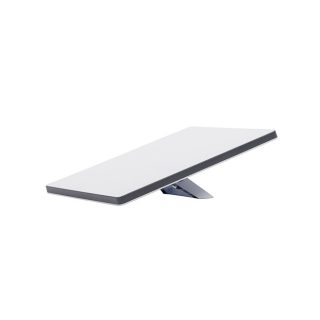
STARLINK Mini Kit Kenya
KSh35,000.00Add to cartStarlink Mini Kit: High-Speed, Portable Internet on the Go
Experience unmatched connectivity with the Starlink Mini Kit. This compact, portable device fits easily in your backpack and delivers high-speed, low-latency internet wherever you go. Ideal for travelers, remote workers, and digital nomads, the Starlink Mini offers reliable internet speeds over 100 Mbps. Powered by a network of low Earth orbit satellites, it ensures seamless connectivity even in the most remote locations, such as the middle of the ocean or a secluded bay.
Key Features
- Compact and Portable Design: The Starlink Mini Kit is engineered for mobility, easily fitting into any backpack. Its all-in-one design includes a built-in WiFi router, ensuring you stay connected wherever your adventures take you.
- Effortless Setup: Get online in minutes with a simple two-step setup. Just plug in the device and point it at the sky. The kit comes complete with an integrated router, kickstand, pipe adapter, power cable, and power supply.
- Integrated WiFi Router: Enjoy seamless connectivity with Wi-Fi 5 technology and an Ethernet port for connecting to third-party routers and mesh networks.
- Energy Efficient: With a power consumption range of 25-40 watts, the Starlink Mini Kit is designed to be energy-efficient while delivering top-tier performance.
- Clear Sky View Required: For optimal performance, the Starlink Mini Kit requires a clear view of the sky to establish a connection with satellites.
- Service Plan Required: Activate Starlink by selecting a customized service plan tailored to your specific needs. Select from plans suited for households or travel. No Contracts.
- Phased-array antenna automatically adjusts to maintain a strong connection, keeping you seamlessly online whether you’re sailing through choppy waters or cruising at high speeds.
What’s in the Box:
- Starlink Mini with Integrated WiFi
- Kickstand
- Pipe Adapter
- DC Power Cable
- Power Supply
- Starlink Plug
Experience the freedom of high-speed internet with the Starlink Mini Kit—your ideal companion for connectivity on the go. Perfect for remote areas and travel, this portable internet solution ensures you stay connected wherever you are.
-
 Add to cart
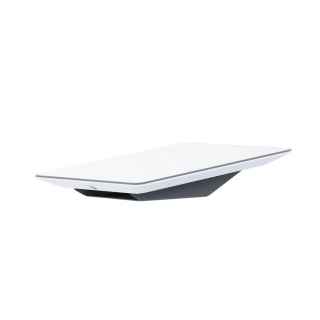
Engineered by SpaceX, Starlink’s Flat High Performance is designed to deliver high-speed, low-latency internet to the most rural and remote locations around the world, even while in motion.
Starlink Flat High Performance supports fixed-site, permanent installations, and in-motion connectivity. With a wide field of view and enhanced GPS capabilities, Flat High Performance can connect to more satellites, ensuring consistent connectivity on the go and for critical operations. Flat High Performance is the only designated hardware for in-motion use in approved countries.
WI-FI ROUTER REQUIRED: With the purchase of a Gen 3 Wi-Fi Router or other compatible Wi-Fi Router, Flat High Performance can deliver consistent connectivity for critical operations. Gen 3 SKU 21050968
INCLUDES WEDGE MOUNT KIT FOR PERMANENT INSTALL: Flat High Performance includes Wedge Mount, Power Supply, Power Supply Mount, and Cables. A Gen 3 Wi-Fi Router (not included) or other compatible router is required to get online.
SERVICE PLAN REQUIRED: Flat High Performance is best paired with One Location Priority and On The Go Mobile Priority service plans. These service plans feature unlimited data, 24/7 prioritized support, and a publicly routable IPv4 address. Starlink Service Plans.
RELIABLE FOR HIGH DEMAND USERS: A Larger antenna enables faster speeds and higher throughput.
REQUIRES A CLEAR VIEW OF THE SKY: Starlink requires a clear view of the sky to connect to satellites and better serve users on the go or in challenging environments.
NO CONTRACTS: Try any Starlink service and if not satisfied, cancel service at any time.
WEATHER RESISTANT: Designed to endure the elements. It can melt snow and withstand sleet, heavy rain, and harsh winds.
DOWNLOAD THE STARLINK APP: Find an unobstructed view of the sky, determine the best install location, select a service plan, and manage your account, all in the Starlink App.
What’s in the Box: Starlink, Wedge Mount, Power Supply with Mount, and Cables
Reviews
There are no reviews yet.